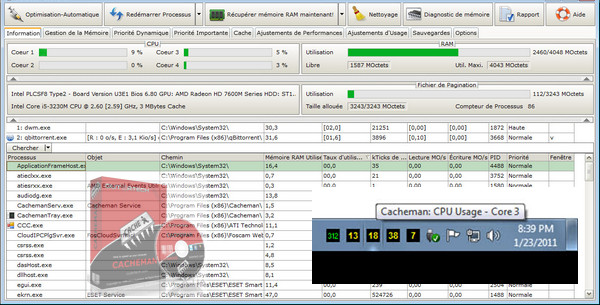
Cacheman helps limit hard drive swapping by optimizing its cache. Indeed, Windows sometimes allocates too much memory to the disk cache, thereby reducing the amount of memory available to applications.
Several profiles are pre-configured, allowing you to optimize your cache for CD burning, 3D games, systems with limited memory, audio recording, or even for power users. Cacheman also allows you to offload unused libraries (.dll) from Windows memory to improve stability.
Everyone will find something to suit them with Cacheman: the "power user" will be able to adjust their own settings and the "newbie" will simply apply the presets.
Configuration:
– Windows (x32/x64 Bits): XP, Vista, 7, 8, 8.1, 10
– Processor: 3GHz
– RAM: 512 MB
– Disk space: 5 MB
Facility :
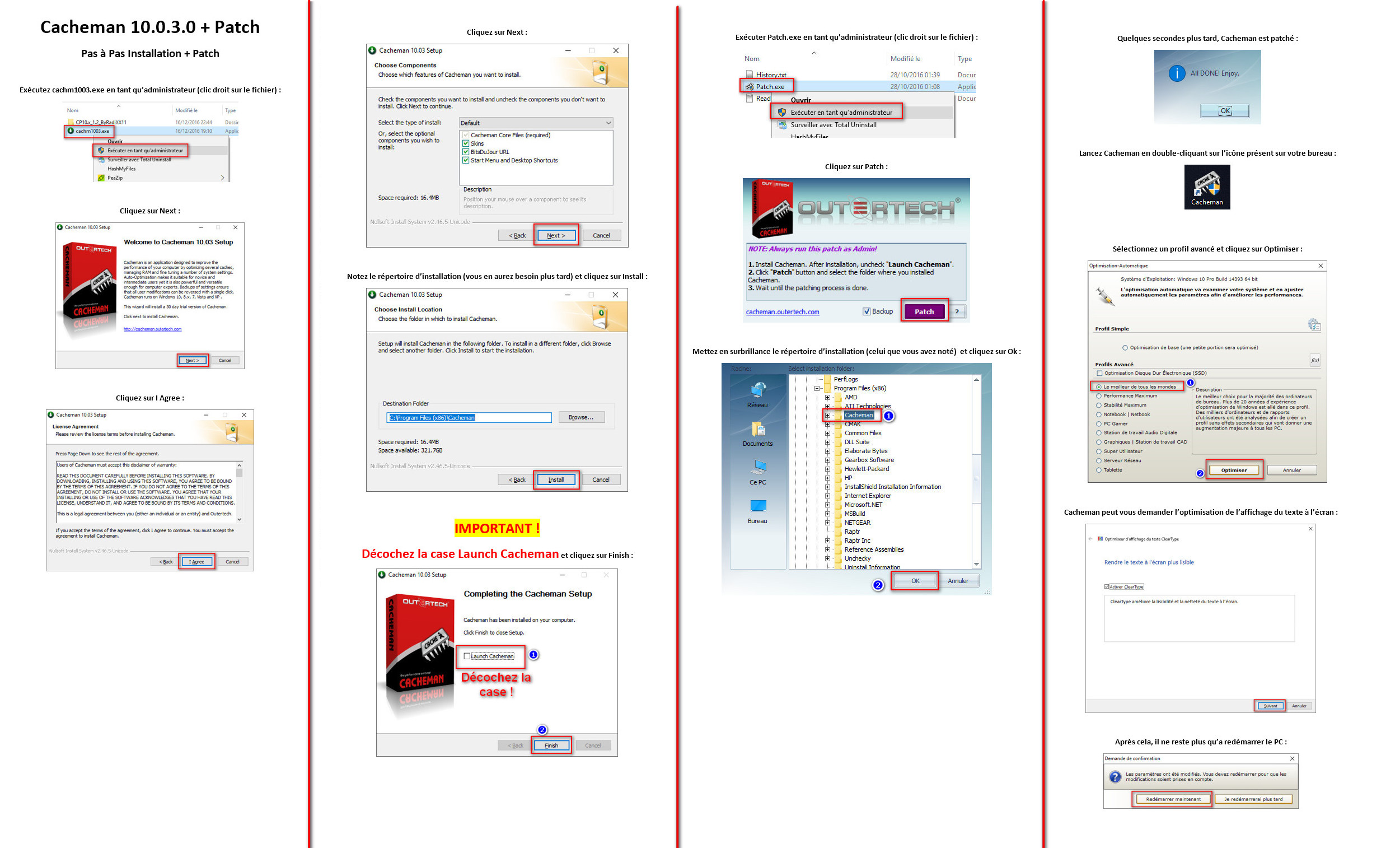
1. Install Cacheman by running cahm1003.exe in as administrator (right-click on the file).
2- Do not launch Cacheman at the end of the installation.
3- Patch by running Patch.exe in as administrator (right-click on the file).
4- Launch Cacheman using the shortcut on your desktop.
- Language : Multilingual (French included)
- Size : 5.8 MB
This article was updated on December 18, 2016