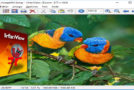
Do you want to keep certain important files private? Here's a little tip that might interest you. This involves hiding a RAR file in a JPEG image without the aid of steganography software.
Simply open an MS-DOS command prompt (type "Prompt" in the Start menu search box) and type the following command:
copy /b image.jpg + archive_secret.rar imageresult.jpg
The archive_secret.rar file will then be encapsulated in your image.jpg file, which will become imageresult.jpg!
This image will be viewable like any other image (be careful of the file size which could attract attention!).
To access the content, simply open it with WinRAR or 7-Zip. You can also replace the .jpg extension with .rar and confirm. You will then find your .rar file containing all your files.
This article was updated on August 10, 2021