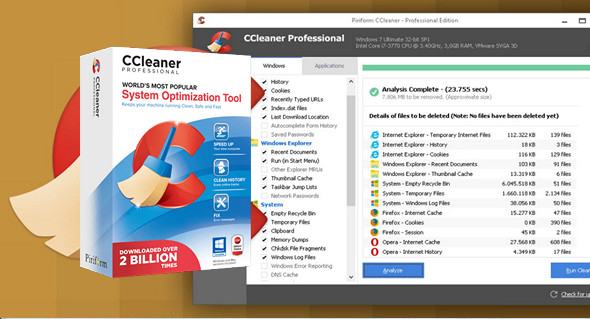
CCleaner is a utility for cleaning your operating system. During its operation, CCleaner scans for and removes unused files. These include: cookies, browsing history, websites visited in Internet Explorer, temporary internet files, search strings, files, the Recycle Bin, etc.
A fast and easy-to-use system cleaning and optimization utility that makes your computer faster, safer, and more reliable. It also scans for temporary files from third-party applications: Firefox, Opera, Media Player, eMule, Kazaa, Google Toolbar, Netscape, Office XP, Nero, Alcohol 120, Adobe Acrobat, WinRAR, WinAce, WinZip, GetRight, Morpheus, Download Accelerator, VirtualDub, ZoneAlarm, and many more.
The program's interface is user-friendly and easy to understand, even for those with limited experience. The main functions (Cleaning, Registry, Tools, Options) are easily accessible from the sidebar.
CCleaner cleans the following components:
– Internet Explorer
– The Clipboard
– Windows temporary files
– Windows Logs
– The list of recent documents (in the Start menu)
– History of executed commands (Start)
– The history of assistant searches in Windows XP
– Prefetching outdated data in Windows XP
– Memory dumps after Windows crash
– Chkdsk file fragments
The advanced options allow you to clean:
– The cache's priority menu
– Windows cache sizes and locations
– The history of user support
– IIS log files
– Additional files
Security:
From the outset, CCleaner has been designed as a secure program. It features multiple robust levels of inspection to ensure that no sensitive information or documents are deleted. We also guarantee that CCleaner is free of spyware and adware.
Privacy Policy:
For users, permanently deleting files with multiple overwrites makes it impossible to restore them in any way.
Configuration:
– Windows (x32/x64 Bits): XP, Vista, 7, 8, 8.1, 10
– Processor: 1 GHz
– RAM: 512 MB
– Disk space: 30 MB
Facility :
1. Disable your internet connection
2. Install the program (the edition you want):
— ccsetup534_be.exe (Business)
— ccsetup534_pro.exe (Professional)
— ccsetup534_te.exe (Technician)
3. Enter Name/License Key which is located in the file SERIAL.txt
4. Activate your internet connection
Language Multilingual (including French)
Size : 20.8 MB
This article was updated on September 13, 2017