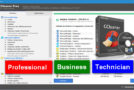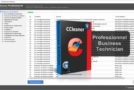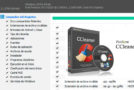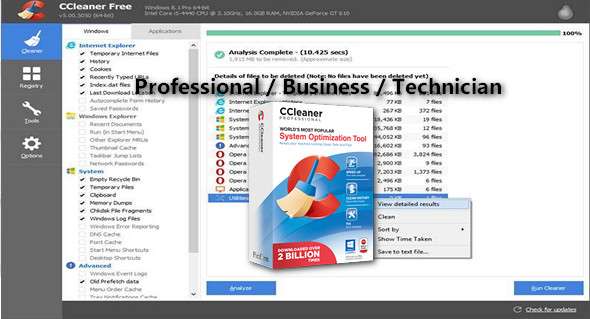
CCleaner is a utility for cleaning and optimizing your operating system. CCleaner scans for and removes unused files. These include cookies, temporary files, and various other unused data that clutter your operating system, search strings, files, the Recycle Bin, and more.
It protects your online privacy and makes your computer faster and more secure. It's easy to speed up a slow computer and keep your activity private – automatically and in the background, a one-click cleanup for beginners can optimize their computers in seconds. In addition, it has advanced features for experienced users.
CCleaner cleans the following:
– Internet Explorer. Temporary files, history, cookies, super cookies. In addition, autocomplete form history files and index.dat.
– Firefox. Temporary files, history, cookies, super cookies. Also download history and form history.
– Google Chrome. Temporary files, history, cookies, super cookies. Also download history and form history.
– Opera. Temporary files, history, cookies, super cookies and download history.
– Apple Safari. Temporary files, history, cookies, super cookies, form history.
– Other supported browsers: K-Meleon, Rockmelt, Flock, Google Chrome Canary, Chrome, SeaMonkey, Chrome Plus, SRWare Iron. Also Pale Moon, Phoenix, Netscape Navigator and Maxthon.
– Windows. Recycle Bin, Recent Documents, Temporary Files, Log Files, Clipboard. DNS Cache, Error Reports, Memory Dumps and Shortcut Lists.
– Registry cleaner. Advanced features to remove unused and old entries. Including file extensions, ActiveX controls, class IDs, and ProgIDs. Also removes uninstallers, shared DLLs, fonts, help files, application paths, icons, invalid shortcuts, and more…
Third-party applications delete temporary files and recent file lists (MRU) from many applications, including Windows Media Player, emulators, the Google Toolbar, and Microsoft Office.
– Also Nero, Adobe Acrobat, WinRAR, WinAce, WinZip and many others…
Here are some of the features you get with CCleaner:
– Automatic cleaning
Regularly clean up unnecessary files to ensure your computer functions properly.
– Automatic privacy protection
– Clears history and cookies when you are not using your web browser
– Automatic updates
– Windows and browsers are constantly evolving.
Portable
CCleaner can run from a USB drive and be installed or run on a computer without a complicated installation process. It's possible to specify which files, folders, and registry keys to ignore during the cleaning process.
What's new ?
Disk analyzer
– Fixed a rare crash where a user interface layer was still active
General
– Minor user interface improvements
– Minor bug fixes
Configuration:
– Windows (x32/x64 Bits): XP, Vista, 7, 8, 8.1, 10
– Processor: 1 GHz
– RAM: 1 GB
– Disk space: 50 MB
Language Multilingual (French included)
Size : 23.9 MB
This article was updated on January 16, 2018