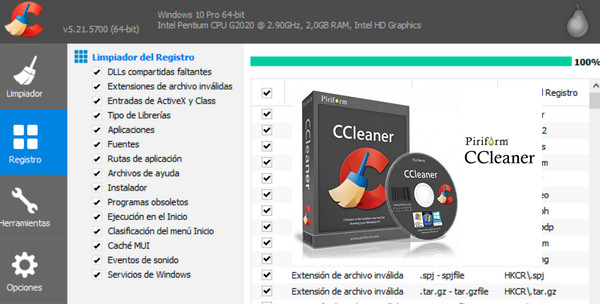
CCleaner v5.23.5808 PRO/BUSINESS/TECHNICIAN FR + Portable + CCEnhancer (Add-on) Included
Practical and efficient, CCleaner is an excellent utility for quickly cleaning, repairing, and optimizing Windows. A reliable and, what's more, free option to discover without hesitation on Windows.
Piriform offers two other versions of CCleaner:
CCleaner Professional for those who manage multiple computers.
Ccleaner Cloud, a new online and enhanced version of the software.
New features in CCleaner:
– IMPROVED history clearing in Mozilla Firefox and Google Chrome
– IMPROVED clearing of the recently used file cache (or MRU) in Windows 10
– OPTIMIZATION of the browser extension detection routine
Other : Improved window resizing support, Unicode support, bug fixes, and a minor GUI update. Pro Version : Improved system monitoring.
Changelog:
* Improved cache clearing for Microsoft Edge and Internet
* Updated cleanup table for Microsoft Edge
* Improved history and session clearing for Firefox
* Updated Silent Optimization feature (Professional version only)
* Updated various translations
* Minor bug fixes
* Minor improvement to the graphical interface
Configuration:
– Windows (32/64 Bits): XP, Vista, 7, 8, 8.1, 10
– Pentium 3 processor
– 512 MB of RAM
– 370 MB of free hard drive space
Facility :
Version to install:
1. Install ccsetup523
2. Do not open it
3. Go to the folder Crack.
*For the pro version:
copy the files from the folder Professional in the CCleaner installation folder.
*For the business version:
copy the files from the folder Business in the CCleaner installation folder.
*For the Technician version:
copy the files from the folder Technician in the CCleaner installation folder.
Portable version:
1. Go to the folder Crack.
*For the pro version:
copy the files from the folder Professional in the Portable Version folder.
*For the business version:
copy the files from the folder Business in the Portable Version folder
*For the Technician version:
copy the files from the folder Technician in the Portable Version folder
Add-on – CCEnhancer (v4.4.1)
CCEnhancer is an extension for CCleaner (completely free) that allows you to add more than 1000 new programs to CCleaner to clean your computer even more thoroughly.
To add CCEnhancer to your CCleaner (Installer):
1. Go to the folder CCEnhancer
2. Launch CCEnhancer.exe
3. Click on download the latest update
4. Once finished, a message will ask if you want to open CCleaner. Choose YES.
7. In Applications You must have many more items than before.
To add CCEnhancer to your CCleaner (Portable):
1. Go to the folder CCEnhancer
2. Launch CCEnhancer.exe
3. Click on Settings (down)
4. Go to the tab Portable version locations
6. Make a right-click in the white box then Add Item
7. Select the location of your portable version of CCleaner, then OK
8. Next save and close
9. Click on download the latest update
10. Once finished, a message will ask if you want to open CCleaner. Choose YES.
11. In Applications You must have many more items than before.
- Language: Multilingual (French included)
- Size: 26.7 MB
This article was updated on October 18, 2016