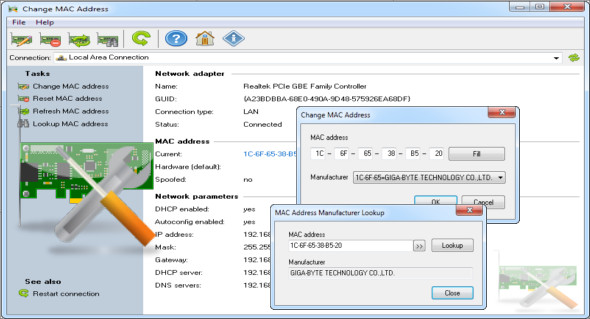
Within the network card chip's firmware, each network card has a unique MAC address embedded by the manufacturer. Sometimes you may need to find or change the network card's MAC address, especially if it's used for internet access authentication. Some users choose to hide their MAC address for security reasons.
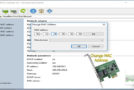
With the LizardSystems Change MAC Address program, you can easily spoof a MAC address. In just a few clicks, users can change their MAC address. During this process, it's possible to select a different manufacturer or generate a completely random MAC address. You can also use MyLanViewer Enterprise.
Main features of Change MAC Address:
– Displaying the MAC address of your network card
– Display of your network card manufacturer
– Replacing the MAC address with another address
– Generate a completely random MAC address
– Defining a MAC address from another manufacturer
– Defining a MAC address without changing the manufacturer
– Automatic activation of the new MAC address after the change
Version : 21.07
Language : Multilingual (French included)
Size : 14.03 MB
Configuration:
– Windows (x32/x64 Bits): XP, Vista, 7, 8, 8.1, 10
Change MAC Address 21.07 + Portable
This article was updated on July 9, 2021