If you're tired of Facebook remembering everything you do and you want to remain discreet, here's a very simple way to erase your Facebook search history.
Delete your Facebook search history
1) First, go to your Facebook profile.
2) Open your Personal History.
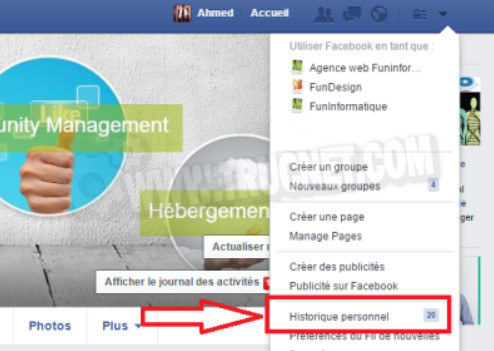
3) On the left column, under the Likes and Comments, click on "More" then on "Search".

This gives you access to your search historyAn (almost) endless list of your searches since you created an account. To delete it, simply click on " Clear searches » .
Now you're protected from prying eyes. At least on Facebook.
A simple and practical tip that could be very useful to you now that Facebook is updating its search bar, which will now be "smart" by offering you tailored results.
This article was updated on August 3, 2016