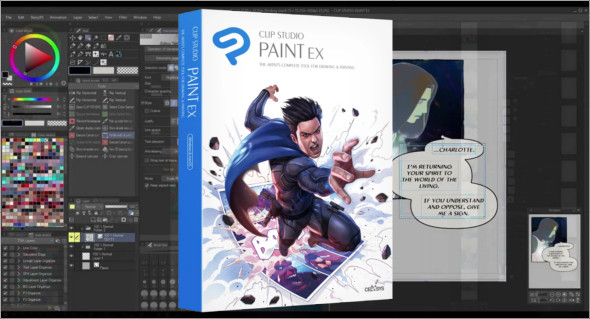
Clip Studio Paint EX is the essential solution for professional and amateur artists wishing to create high-quality illustrations, manga, and animations.
Equipped with advanced tools, layer support, and a high-performance brush engine, this software is designed to deliver a smooth and intuitive experience. Whether you're an illustrator, manga artist, or animator, Clip Studio Paint EX lets you create with precision and creativity.
Why choose Clip Studio Paint EX?
Clip Studio Paint EX stands out for its versatility and advanced features, making it one of the best digital drawing software programs on the market. It is particularly appreciated for:
- Its ultra-realistic brush engine
- His tools dedicated to manga and comics
- Its advanced support for 2D animation
- Its intuitive and customizable interface
- Its compatibility with graphics tablets
- Its high-quality export options for print and web
The main features of Clip Studio Paint EX
High-performance drawing tools
Clip Studio Paint EX offers a wide selection of customizable brushes, allowing artists to reproduce traditional effects with digital precision. Users can adjust pen pressure, brush texture, and flow to achieve natural and dynamic strokes.
The software also offers line stabilization, perfect for designers who want precise outlines without shaking.
Creation of manga and comics
One of Clip Studio Paint EX's strengths is its suite of specialized tools for creating manga and comics. It includes:
– Predefined patterns and textures for adding detailed shading and effects
– A frame and text bubble manager for smooth and professional layout
– An advanced perspective tool for realistic and structured 3D drawings
– Vector line recognition allowing line editing without loss of quality
These tools facilitate the work of manga artists and illustrators by optimizing their production workflow and creativity.
Advanced 2D Animation
Clip Studio Paint EX also allows you to create smooth and detailed 2D animations, offering animators a wide range of features such as:
– An intuitive timeline for organizing key images and transitions
– Precise control of interpolations and poses
– Support for animation layers to facilitate frame-by-frame work
– Exporting to GIF, MP4 and other video formats
Thanks to these tools, Clip Studio Paint EX is a solid alternative to classic animation software, while remaining specialized in illustration.
Intuitive and customizable interface
Clip Studio Paint EX's interface is designed to adapt to the needs of each artist. Keyboard shortcuts, tool palettes, and workspace organization can all be customized.
Furthermore, the software is compatible with all graphics tablets, ensuring a smooth and precise drawing experience.
Advanced features for professionals
Clip Studio Paint EX goes even further by integrating advanced tools for project management and file export:
– Importing and manipulating 3D objects for a perfect perspective
– High-resolution export for professional printing
– Formats compatible with self-publishing platforms such as Kindle and ePub
– Ability to collaborate online thanks to the integrated cloud
These options make Clip Studio Paint EX an essential choice for illustration and publishing professionals.
Why is Clip Studio Paint EX an essential piece of software?
Compared to other software like Photoshop or Procreate, Clip Studio Paint EX stands out for its specialized tools for comics and animation. It offers better line control, advanced layer flexibility, and smooth management of complex projects. You can also use Comic Life Windows.
Conclusion
Whether you're a manga artist, illustrator, or animator, Clip Studio Paint EX is the software you need. With its professional tools and intuitive interface, it offers a smooth and powerful drawing experience.
Version : 4.0.3
Language : Multilingual (French included)
Size : 506.55 MB
Configuration:
– Windows (x64 Bits): 7, 8, 8.1, 10, 11
Download Clip Studio Paint EX v4.0.3
This article was updated on May 4, 2025