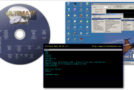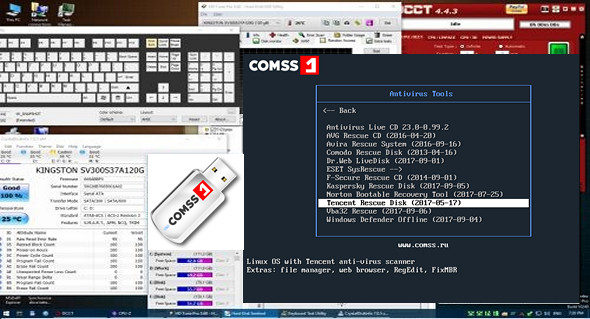
A bootable USB flash drive containing 13 antivirus scanners for testing and cleaning desktop and laptop computers. Additionally, there are utilities for checking RAM and hard drives and managing disk partitions.
Antivirus included
• Antivirus Live CD 23.0-0.99.2 – ClamAV console antivirus scanner (requires an internet connection to download the antivirus database).
• AVG Rescue CD (2016-04-20) – AVG virus scanner from File Manager, Registry Editor, TrueCrypt, FixMBR, TestDisk. Supports updating the antivirus database via the internet.
• Avira Rescue System (2016-09-16) – Ubuntu Avira antivirus scanner, file manager, web browser, Gparted, RegEdit. Supports updating the antivirus database via the internet.
• Comodo Rescue Disk (2013-04-16) – Comodo Linux antivirus scanner, file manager and web browser. Supports updating the antivirus database via the internet.
• Dr. Web LiveDisk (2017-09-01) – Linux OS antivirus scanner. Web file manager and web browser. Supports updating the antivirus database via the internet.
• ESET SysRescue 5 – ESET SysRescue 5 antivirus scanner (English version) for Linux operating systems, file manager, web browser, Gparted. Supports updating the antivirus database via the internet.
• ESET SysRescue 4 – ESET SysRescue 4 Linux antivirus scanner (Russian version), file manager, web browser. Supports updating the antivirus database via the internet.
• F-Secure Rescue CD (2014-09-01) – F-Secure virus scanner. Supports updating the antivirus database via the Internet.
• Kaspersky Rescue Disk (2017-09-05) – Kaspersky Linux OS antivirus scanner, file manager, web browser, RegEdit. Supports updating the antivirus database via the internet.
• Norton Bootable Recovery Tool (2017-07-25) – Antivirus scanner for Linux operating systems, Norton File Manager, and web browsers. Supports updating the antivirus database via the internet.
• Tencent Rescue Disk (2017-05-17) – Linux with Tencent antivirus scanner, file manager, web browser, RegEdit FixMBR.
• Vba32 Rescue (2017-09-06) – the Vba32 antivirus of the console scanner.
• Windows Defender Offline (2017-09-04) – Windows Defender Offline virus scanner. Supports updating the antivirus database via the Internet.
System utilities
• Offline NT/2000/XP/Vista/7 Password Changer – operating system reset by password Windows NT / 2000 / XP / Vista / 7.
• memtest86 + 5.01 – checking RAM for errors.
• Victoria 3.52 – Check the hard drive for errors.
• GParted live 0.29.0-1-i686 – work with hard drive partitions (create, modify, delete).
Configuration:
– Processor: 1 GHz
– RAM: 512 MB
Facility :
1- Format the USB device to FAT32 (use standard Windows tools).
2- Copy the contents of the ISO image (3 folders and 7 files) to the USB device.
3- Run the file CREATE_BOOT_USB.bat on the USB device.
4- In the console window, Enter the drive letter of the USB device and press ENTER.
5- Following the console's instructions, press any key and wait for the charger to be installed.
6- Press any key to exit the console. The bootable USB device is ready.
Language English / Russian
Size 5.1 GB
This article was updated on September 20, 2017