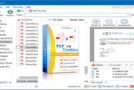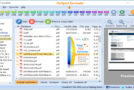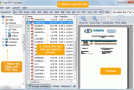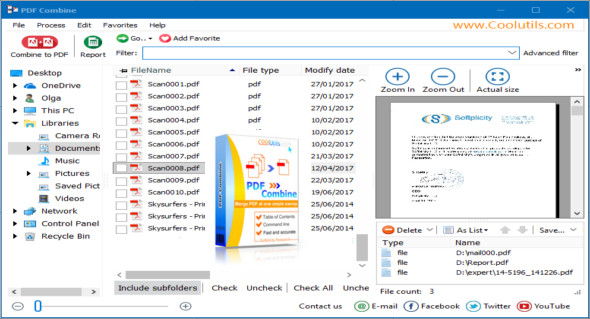
PDF Combine is a utility that can easily combine multiple PDF files into a single PDF file. The program's interface is simple: select the files you want to combine, specify the destination folder, and click Start. PDF Combine can also be run from the command line.
Unique PDF Combine options:
With PDF Combine from Coolutils, you can merge PDF documents as you wish. You won't find a more versatile application. It easily handles large jobs and even the most complex PDF files.
– Combining PDF files into folders? Easy! For example, you have 10 folders with 5 PDFs in each. Our software will produce 10 multi-page PDF files all at once! Hundreds of folders? No problem.
– PDF Combine can analyze the full filename or any range of characters you define. colorPDF Combine can add page counters to each page of the combined file.
– Combine folders. It is very easy to rearrange the files you want to combine — just drag and drop them up or down.
– Are you preparing for eDiscovery? PDF Combine will stamp the pages on each page of the combined document. You can set the number of digits in Bates number format and add a prefix or suffix.
– The application interface is very user-friendly; you always know what the next step is. You can skip the advanced settings for a simple combination of 2 files.
– PDF Combine automatically creates bookmarks. Use filenames, document titles, or your own text file to create your clickable table of contents. This also works via the command line.
– Add text watermarks to the header or footer of the output PDF file to prevent unauthorized use (your copyright information, company name, or QR codes).
– PDF Combine solves the problem of double-sided printing of PDF files with an odd number of pages. It adds a blank page if the file has an odd number of pages. Therefore, the next file is not printed on the back of the previous one.
– Preview. The built-in preview panel allows you to view a single PDF file at scale or actual size.
– The application can also encrypt the resulting PDF file with a password or set user permissions.
– Combine the PDF cover page. Combine multiple PDF files and add your own cover page. This works great for ebooks, reports, and presentations. Use a custom page or the first page of the first document in the list.
– The special PDF Combine SDK server runs silently on your server without any contextual messages.
– The powerful Cmd program can be run via the command line (obtain the ready-to-use command line BAT file from the GUI settings).
Configuration:
– Windows (x32/x64 Bits): XP, Vista, 7, 8, 8.1, 10
– Processor: 1 GHz
– RAM: 1 GB
Language : Multilingual (French included)
Size : 25.5 MB
This article was updated on October 1, 2018