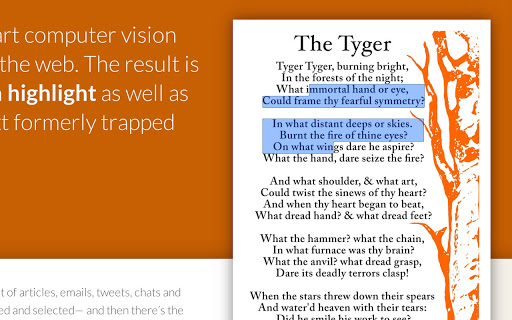
Who hasn't ever wanted to copy and paste text from an image? With the Project Naphta extension, you can extract any string of characters from any photo or screenshot, without having to retype everything by hand!
The extension is very fast, simple to use, and free! With the extension Project NaphtaIt then becomes easy to isolate the text from an image, copy it, and translate it. It's even possible to remove the text, which will regenerate the image without it. While the result may require some adjustments depending on the image quality, most characters and words are recognized, and you can retrieve your text in your word processor, such as Word.
Project Naphta analyzes all images displayed on your Chrome browser web page and will allow you to copy the text, use optical character recognition to copy it, or even translate it.
Project Naphta automatically applies vision algorithms to every image you see in your Chrome browser. It uses a technique called " inpainting "to reconstruct images after they have been modified by the extension when you decide, for example, to erase the text.
For now, the program is only available for Google Chrome, but a Firefox version is planned in a few weeks.
This article was updated on August 10, 2021