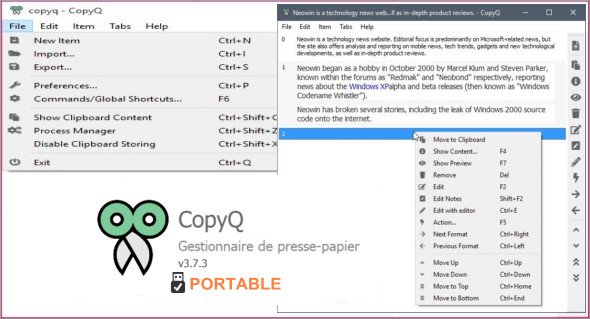
CopyQ is a simple clipboard management utility that allows you to save more than the default clipboard size limit in Windows. You can add notes to copied items, organize your copies into tabs, and customize keyboard shortcuts.
Every time you copy or cut something like files and text, it will be saved to CopyQ's extended clipboard. From there, you can easily manage clipboard items, pasting, deleting, and grouping them. It's an advanced clipboard manager with a searchable and editable history, support for image formats, command-line control, and more.
Main features of the CopyQ utility:
– Store text, HTML, images and any other custom format.
– Save the items in new tabs (and groups).
– quickly browse the elements (fast navigation, filtering with highlighting of the corresponding text).
– Sort items, create a new one, delete, copy/paste into a different tab.
– Variety of system-wide shortcuts (e.g., show main window, edit clipboard, copy next/previous article, paste as plain text)
– Paste immediately into the focused window from the main window.
– Fully customizable appearance (colors, fonts, transparency).
– Add notes to articles.
– Advanced command-line interface and scripting.
– Ignore clipboard copied from certain windows or containing text.
What's new ?
* Item search and selection are reset when the main window is closed
* Updated icons (Font Awesome 5.6.3)
* The animation of the status bar icon is not triggered if no automatic command is executed.
* Improved color themes on certain systems
* Omit the main auto-hide window when a dialog box is open
* Fixed the transparency of some icons
* Fixed menu size when opened on a different screen
* Fixed issues with restoring and rendering window geometry
* X11: Corrected the icon mask file name according to the standard (copyq_mask)
Configuration :
– Windows (x32/x64 Bits): XP, Vista, 7, 8, 8.1, 10
– Processor: 1 GHz
– RAM: 1 GB
Language : Multilingual (French included)
Size : 22.7 MB
This article was updated on February 4, 2019