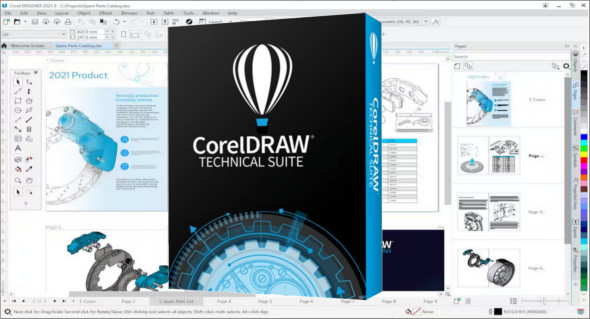
CorelDRAW Technical Suite is a powerful software suite designed specifically to meet the needs of professionals who want to create technical illustrations, detailed diagrams, and precise visual documentation. With its advanced tools and intuitive interface, this software has become an essential tool for technical design experts.
A complete suite for precise technical drawings
CorelDRAW Technical Suite combines several specialized software applications that simplify the creation of complex technical illustrations. It includes:
- Corel DESIGNER A powerful technical vector drawing tool.
- CorelDRAW Ideal for graphic design and creative layout.
- Corel PHOTO-PAINT : A powerful image editor for retouching and optimizing visuals.
- Corel CAPTURE : A screenshot tool to easily integrate visuals into documentation.
- XVL Studio Corel Edition Software that allows you to integrate 3D models into your illustrations.
Thanks to this combination of tools, CorelDRAW Technical Suite offers an all-in-one solution for technical illustration and visual documentation.
Powerful tools for precise and efficient work
One of the great strengths of CorelDRAW Technical Suite lies in its advanced features that allow for the production of detailed technical documents with extreme precision.
– Technical vector drawing : Create detailed diagrams with precise lines and dynamic shapes.
– Importing and exporting 3D files Easily integrate CAD models to enrich your technical illustrations.
– Advanced layout : Produce professional technical documents with efficient text and image management.
– Annotation tools : Add clear legends, descriptions and indications to your technical diagrams.
– Compliance with industry standards : Compatible with standard formats such as CGM, WebCGM, SVG, PDF and DWG.
– Optimized rendering and publishing Export your creations in various formats for printing, online sharing, or integration into documentation systems.
An intuitive interface tailored for professionals
Despite its wealth of features, CorelDRAW Technical Suite stands out for its interface ergonomic and intuitivemaking it easy to use even for novice users.
- Customizable workspace : Adapt the interface to your specific needs for increased productivity.
- Library of models and symbols : Access a vast collection of industrial symbols to accelerate the creation of technical diagrams.
- Collaboration tools Share and review your documents in real time with your team.
An ideal solution for several business sectors
Thanks to its versatility, CorelDRAW Technical Suite is used in many fields:
- Industry and engineering : Creation of technical diagrams, assembly manuals and industrial plans.
- Aeronautics and automotive : Creation of complex technical illustrations for technical documentation.
- Architecture and design : Design of detailed plans and visuals for architectural projects.
- Education and training : Production of illustrated educational materials for better understanding.
With CorelDRAW Technical SuiteTechnical illustration professionals now have a powerful, flexible, and precise tool for creating detailed visual documents that meet industry standards. Whether you work in engineering, manufacturing, architecture, or any other sector requiring accurate technical diagrams and illustrations, this software suite will meet all your needs.
Version : v26.0.0.101
Language : Multilingual (French included)
Size : 3.35 GB
Configuration:
– Windows (x64 Bits): 10, 11
Download CorelDRAW Technical Suite 2025 v26.0.0.101
This article was updated on March 10, 2025