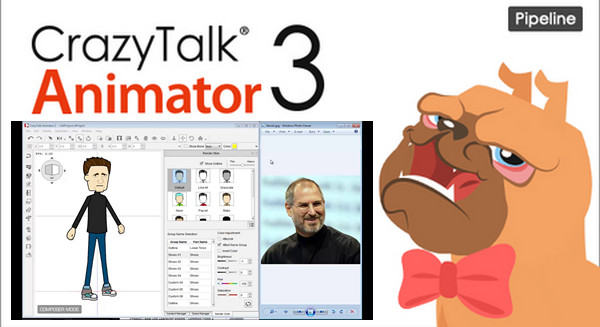
CrazyTalk Animator offers the ability to create characters from your images, bring your actors to life and integrate them into films.
Once your creation is complete, you can automatically animate their bodies and customize them.
Choose a setting and a scene, then add objects or other accessories to your characters.
You have the option to add special effects, voices, or even music.
Create your character
Import images and photos to create your virtual actor without any graphic design knowledge required.
Body customization thanks to the included wardrobe
Automatic animation of the face and body.
Tell a story
Choosing a setting and staging on several levels
Integrate your character by simply dragging and dropping
Easily add objects, special effects, voices, and music.
Watch his cartoon
Export of completed projects in High Definition Video
Sharing on TV, PC and the Web
Viewing cartoons in 3D relief
Software interface
2D Environment and Animation
Two editing modes: Composition Mode for characters and Scene Mode for animations
Editing elements using the drag-and-drop method
Import of the most common image and video formats (JPG, PNG, AVI, WMV)
Real-time preview and 3D layer management
Scene Manager to find all your elements at a glance
Animation and synchronization
Real-time face and body animation with the mouse
Numerous activities classified into 4 categories
Importing WAV files and capturing voice with a microphone
Automatic lip-syncing from text and audio files. Keyframe editing with detailed articulation control.
Transformation tool to modify body parts and achieve perfect animation
Actor creation
Creating a virtual actor from any photo or drawing
Integrating the actor into an animation
Face adjustment
Customizing facial movements
Supports many face types: human, animal, robot, etc. Over 100 elements to customize your characters
Interchangeable body parts; head, eyes, nose, torso, legs, etc.
Wardrobe to vary your outfits
Scenes & Special Effects
Layer system for managing elements on stage
Easy management of accessories and backgrounds, interchangeable with one click. Customization and retouching of accessories.
Importing accessories from images in furniture catalogs
Interactive accessories using animated sprites
Atmospheric effects, text bubbles and sounds to liven up your animations
Element Libraries
Import of the most common image formats (JPG, PNG, …), – videos (AVI, WMV, …), and flash animation (SWF)
Free Flash image, video, and animation editor
Rendering & Export
Conversion of animations to stereo 3D with customizable 3D effects
Viewable on any screen. Export images and videos in the most common formats: JPG, PNG, AVI, MPEG-4, RM, WMV in NTSC or PAL format.
Export videos in HD quality – Export in Flash and optimized for the web (FLV format)
Post-production with the alpha channel
Advanced Editing Table & Key Image Editing
Quickly edit keyframes to transform, link, reverse sprites and manage animations
A layer system for managing the different elements of the animation
Quick editing mode thanks to a main track for common edits
Advanced editing mode thanks to secondary tracks for detailed movements (up to 16 tracks to animate different body parts)
Distinction between voice, morphology, and scripts for facial animations
Option to display or hide the Timeline for improved user experience
Configuration:
– Windows (x32/x64 Bits): 7, 8, 8.1, 10
– Processor: Dual-core Intel or AMD CPU
– RAM: 2 GB
– Disk space: 2 GB
– Graphics: Nvidia GeForce 8800 GT or ATI Radeon HD
Facility :
1- Add to your hosts file : C:\WINDOWS\system32\drivers\etc\hosts (default).
127.0.0.1 widgetcast.reallusion.com
127.0.0.1 da.reallusion.com
127.0.0.1 ctifiles2.reallusion.com
2- Execute CTA3_Setup.exe, follow the installation procedure.
Choose where to save custom folders and templates.
Generally located under C/Users/Documents, do not modify this path.
3- After installation, launch Crazy Talk 3 for the first time, then close it.
4- Copy and replace the folder Reallusion In C:\Users\Public\Documents
This archive contains all the custom data and templates included in Pipeline.
It must therefore be replaced by the one created in Documents.
You can also delete the Reallusion folder in Documents and copy it directly.
5- Execute CTA3 Pipeline Upgrade Setup.exe in administrator mode.
- Password : SamuRa1
6- After installation, merge the two reg files: reg.reg And reg 2.reg.
7- You can install Resource Pack if you wish: CTA3_Enu_resource_Pack.exe.
- Language : English
- Size : 875.1 MB
This article was updated on December 4, 2016