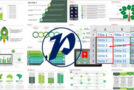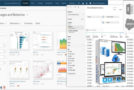
In this course, you will learn how to create a complete and customized dashboard using Excel and Power Query. You will discover how to extract and clean data, and then how to transform it into useful visual information through the dashboard. You can also use Office 2019 Training
You will also learn how to use charts, pivot tables, and simple tables to display complex data clearly and easily. This course covers the fundamentals of dashboard creation and provides advanced tips and techniques to enhance the look and functionality of your dashboard. It is suitable for Excel beginners and those who want to improve their dashboard creation skills.
Improve your skills with this video training on the following topics:
– Raw data processing
– Excel integration
– Merging data files
– Loading data with Power Query
– Data analysis using pivot tables
– Information visualization (dataviz)
– Performance indicators
– Dashboard layout
– Graphic stylization
– Interaction with dashboard.
And more
Format: MP4 (40 Files)
Language : French
Duration : 3 hours 31 minutes
Size : 424.62 MB
Create Excel + Power Query dashboards from scratch
This article was updated on January 30, 2023