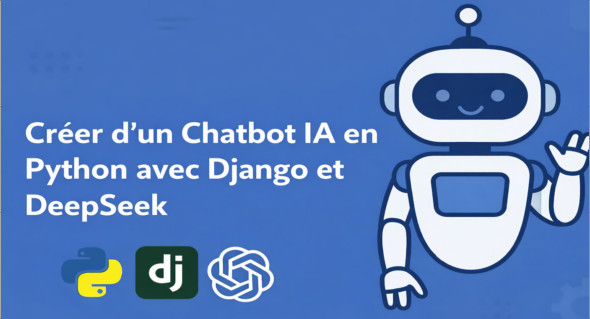
Conversational artificial intelligence is now at the heart of modern applications. Intelligent chatbots are no longer limited to answering simple questions: they are capable of interacting in real time, understanding context, generating complex responses, and significantly improving the user experience. In this context, learning to create an AI chatbot in Python with Django and DeepSeek represents a strategic skill for developers and AI enthusiasts.
This practical training guides you step by step in creating an advanced, high-performance AI chatbot that runs entirely locally, without relying on expensive or limited external APIs.
Why create an AI chatbot with Django and DeepSeek?
Django is one of the most robust and widely used Python frameworks for web development. Combined with DeepSeek, a powerful open-source language model, it becomes possible to build a modern, secure, and scalable conversational application.
DeepSeek stands out for its ability to operate locally, particularly through tools like Ollama. This approach offers several major advantages:
- total control of the data,
- respect for confidentiality,
- absence of API-related costs,
- Complete customization of chatbot behavior.
Unlike turnkey solutions, this approach allows you to understand and master each technical component of the system.
Installing and running a local AI model with Ollama
The training begins with the local installation and configuration of DeepSeek using Ollama. You will learn how to:
- launch an AI model on your machine,
- interact with it via Python,
- prepare its integration into a Django application.
This step is essential for designing a standalone chatbot, ready to be deployed on a server without relying on third-party cloud services.
Setting up a professional Django project
You will then learn how to configure a complete Django project, structured according to best practices. This includes:
- the management of views, models and templates,
- the organization of the backend code,
- preparing the application for real-time communication.
The goal is to build a solid and maintainable base, suitable for a professional project or for production deployment.
Real-time communication with Django Channels and WebSockets
A modern chatbot must be interactive. That's why this training emphasizes the use of Django Channels and WebSockets.
Thanks to WebSockets, the chatbot can:
- Send and receive messages instantly.
- display the AI's responses in real time,
- to offer a smooth and responsive user experience.
You will learn how to integrate DeepSeek directly into a Consumer Django Channel, enabling continuous communication between the server and the browser.
Streaming AI responses like ChatGPT
One of the most appreciated aspects of modern conversational interfaces is the progressive display of responses. Rather than waiting for a complete answer, the user sees the text appear as it is generated.
This training shows you how to:
- implement response streaming,
- manage the gradual sending of tokens,
- to replicate an experience similar to ChatGPT.
This feature greatly improves the perception of speed and the quality of the interaction.
Markdown handling and response display
The responses generated by DeepSeek may contain:
- structured text,
- lists,
- code snippets,
- Markdown blocks.
You will learn how to correctly interpret and display Markdown on the front end, in order to offer a clear, readable and professional rendering, even for complex technical content.
Performance optimization with Daphne and Redis
To effectively manage WebSocket connections, the training covers the use of Daphne and RedisThese tools allow you to:
- improved management of simultaneous connections,
- more stable real-time communication
- a smoother load increase.
You will also learn how to dynamically open and close WebSocket connections to optimize overall application performance.
Conversation history and user experience
A complete chatbot must preserve the context of the interactions. You will learn how to:
- store the conversation history in a database,
- associate messages with each user,
- to allow consultation of previous exchanges.
Modern UX/UI elements, such as animations or input indicators, are also integrated to make the user experience more immersive.
To go further with DeepSeek
If you wish to explore the use of DeepSeek beyond chatbots, there is also a broader guide entitled:
" DeepSeek the complete guide: AI Agents, RAG, AI Apps »
This supplementary guide explores AI agents, RAG, and the development of advanced applications based on DeepSeek.
Conclusion
Creating an AI chatbot in Python with Django and DeepSeek is an excellent way to master key modern AI technologies: language models, real-time communication, WebSockets, and intelligent applications. This training enables you to build a complete, high-performing, and standalone solution, ideal for a professional project or technical portfolio.
Format: MP4 (16 Files)
Language : French
Duration : +2H
Size : 2.35 GB
Create an AI Chatbot in Python with Django and DeepSeek
This article was updated on February 8, 2026