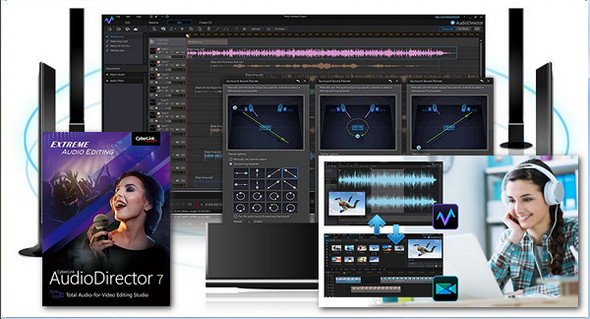
AudioDirector is the best audio tool for editing and retouching the audio tracks of your video projects.
AudioDirector features powerful sound enhancement tools to add brilliance to your videos. Create your own soundtracks using multitrack recording and use mixing tools to enrich the audio experience, automatically remove noise, and restore the sound to its original state. AudioDirector delivers clear, clean, and rich sound for your videos.
Audio is a crucial element of your video productions. AudioDirector allows you to create, edit, repair, and produce unparalleled sound tracks to complement your finest video productions.
Audio mixing for video projects
– Editing via dynamic link
– Precise audio-video synchronization
– 64-bit support
– 4K video rendering
– Faster loading and conversion
Virtual surround sound
– Surround sound
– Total control of the output
– Audio 7.1
Creative sound effects
– Visual effect on the timeline
– Voice transformation
– Pitch Bender
– Stereo expansion
Eliminate background noise
– Custom noise cancellation
– Visual correction
– Audio Restoration Tools
Multi-track mixing
– Grouped tracks
– Multitrack recording
– User-friendly track control
Configuration:
– Windows (x32/x64 Bits): XP, Vista, 7, 8, 8.1, 10
– Processor: Pentium 4 3GHz
– RAM: 1 GB
– Disk space: 1 GB
Facility :
1. Install the program setup.exe
2. Run the file Reg Patch.reg in as administrator
3. Launch the program and ignore the online registration form when you are prompted to do so.
4. Disable online updates under Preferences.
- Language : Multilingual (French included)
- Size : 235.9 MB
This article was updated on February 4, 2017