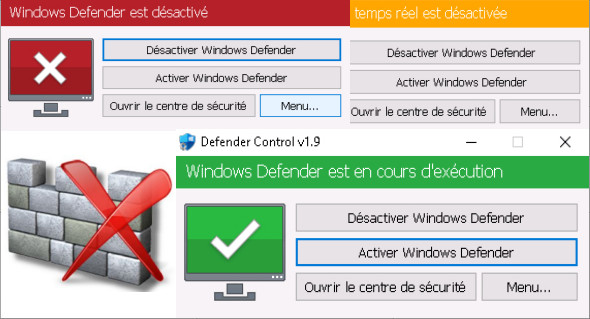
Defender Control is a small, free, portable application that allows you to disable and enable Windows Defender in Windows 10 with a single click.
Windows Defender is a tool that runs in the background to help protect your computer from malware (malicious software) such as viruses, spyware, and other potentially unwanted programs. You can also use EDS Windows 10 Tuner.
Windows Defender is integrated into the operating system and installed by default without a visible or hidden uninstall option. Many people look for ways to disable or remove it from their system because they prefer to use other software. For example, in Windows 8 and 10, you can't easily disable Windows Defender completely. Defender Control is a small, free, portable application that allows you to completely disable Windows Defender in Windows 10.
Why you should use Defender Control:
1. When copying large amounts of data from a PC to a USB drive or vice versa, disabling Defender can reduce the overall copy time.
2. Users may encounter conflicts between Defender and their antivirus application.
3. Some antivirus programs require the user to disable or manually turn off Windows Defender in Windows 10
4. If you have it enabled, there's a good chance Windows Defender will start every time you boot up your PC. If you're short on resources, have your own methods for dealing with spyware, or have simply concluded that Windows Defender isn't for you, you can disable it.
Version : 1.9
Language : Multilingual (French included)
Size : 0.47 MB
Configuration:
– Windows (x32/x64 Bits): Vista, 7, 8, 8.1, 10
Defender Control 1.9
This article was updated on May 22, 2021