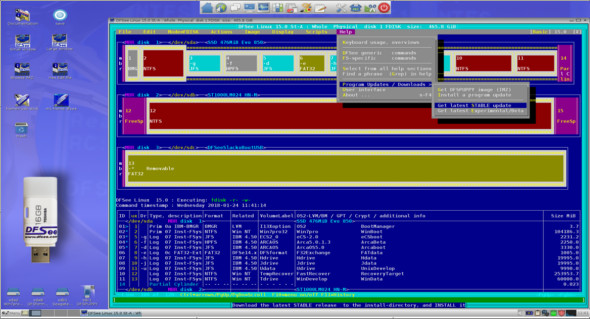
DFSee is a general-purpose disk, partition, and file system utility for data maintenance and recovery. It supports partition tables (FDISK, LVM) and file systems such as (V)FAT, FAT-32, EFAT, HPFS, NTFS, JFS, EXT2/3/4, HFS+, and some features for ReiserFS, XFS, SWAP, and GRUB. You can also use MiniTool Partition Wizard.
One of the best utilities for examining disks in detail and troubleshooting partition definitions and file systems. Create an exact clone or compressed image file from your entire disk or a single partition. Browse directories and view or copy/recover files directly from the browser.
Disk partitioning
– As a replacement for classic FDISK and (OS/2) LVM programs, with support for MBR as well as GPT style tables.
– DFSee is a complete replacement for the partitioning tools found with DOS, OS/2, Win9x, Windows NT/2000/XP/7/8/9/10 and Linux.
It also replaces the LVM utility included with eComStation, ArcaOS 5.x, and all OS/2 versions 4.50 or later. Only some obscure features, such as disk extents, are not supported.
In addition to standard create/delete functions, there are numerous special commands for displaying information and resolving all sorts of problems related to partition tables and LVM information. A fully interactive partition table editor (PTEdit) is also included, for both the classic MBR-style partition and the newer GPT (Guid Partition Tables).
– Finally, the FDISK functionality combined with scripting capabilities is used by large organizations for automated (and unattended) deployment scenarios.
Disk and partition recovery
– To recover from partition problems and disasters (UNFDISK)
– A function often used here is the DFSDISK/menu-item/script command which automates the collection of information needed to "UNDO" an accidental FDISK operation or other partitioning-related disasters.
– Another important feature is the ability to save and restore ALL partitioning information to a regular file that you can keep as a backup on a floppy disk so that recovery operations are MUCH easier.
Disk and partition copy
– As a tool for copying entire disks or partitions
– Two main functions are available:
File system browser
– This is an easy and powerful way to access files in inaccessible file systems, either because there are file system problems that prevent it from being "mounted" normally, or because you need to access it from an operating system that does not have a driver for that type of file system.
– You can navigate the directory structure and edit/view/copy one or more of the files shown.
– Copying files from the browser is a user-friendly way to recover files from inaccessible file systems, and can also be used in combination with Undelete.
File deleted and recovered
– As a tool to undelete files that have been accidentally deleted or to recover files from inaccessible file systems
– This feature is implemented for FAT, HPFS, JFS and NTFS, but on these file systems it is a very powerful tool.
– It is operated either using the user-friendly BROWSER interface, where you navigate to the files to be recovered, or by using the underlying commands directly for maximum flexibility and efficiency.
It works by searching for all deleted or normal files (DELFIND/FILEFIND), then allowing the user to make a selection based on a generic file specification and a percentage of recovery prospects (DELSHOW, or via the browser). The actual recovery operation will copy the corresponding files to a specified directory, if possible on another disk (RECOVER).
– You can also find file recovery and restore functions in the menu, in the specific submenus “Mode = …” for file systems that support it.
DFSee can use internal allocation information from file system structures to ignore unused areas (SMART clone/image) by minimizing image size and speeding up the process.
These DFSee functions are comparable to programs such as Norton GHOST and PowerQuest DriveImage
Version : 16.9 Beta/Bootable (ISO): 15.1
Language : English
Size : 42.42 MB
Configuration:
– Windows (x32/x64 Bits): XP, Vista, 7, 8, 8.1, 10 – (Linux/macOS)
DFSee 16.9 Beta + ISO
This article was updated on July 16, 2021