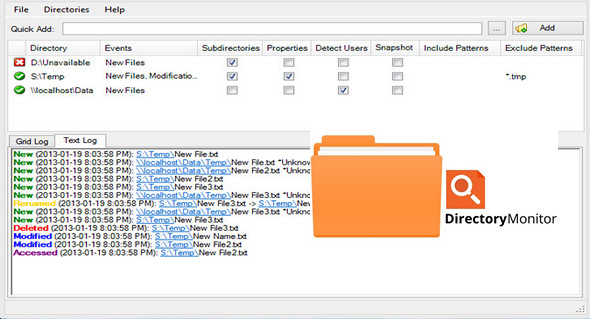
You can use Directory Monitor to monitor specific directories and it will notify you of file changes, deletions, modifications, and new files in real time. You can optionally run an application when a change or modification is detected.
Features:
– Monitor directories for file changes, modifications, deletions and new files in real time.
– Monitor local directories or network shares (including hidden actions).
– Run as a Windows service.
– Optionally, run an application when an event occurs.
– Register the user on the network who made the changes.
– Include/exclude filtering on monitored files.
– Quickly indicate if a directory is available and being monitored.
– Notifications every time an event is triggered.
– Email notifications
– Automatic updates, import/export and more.
Configuration:
– Windows (x32/x64 Bits): XP, Vista, 7, 8, 8.1, 10
– Processor: 1 GHz
– RAM: 512 MB
– Disk space: 1 GB
– .Net Framework 3.5+
Portable version:
Run the file DirectoryMonitor.exe
Language : English
Size : 7.3 MB
This article was updated on June 28, 2019