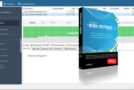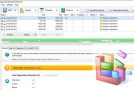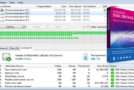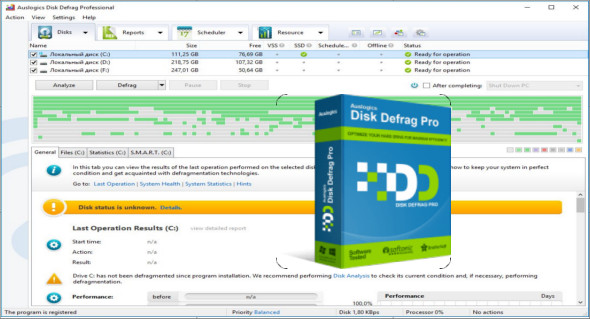
Auslogics Disk Defrag Pro is software designed to defragment and optimize your entire disk. It now delivers even greater speed thanks to new optimization algorithms and defragmentation technology. The program can also prevent further fragmentation by leaving free space after specified files. For faster and safer defragmentation, you can configure the program to delete temporary files and scan for errors on the disk.
The improved speed and health of your disks can now be easily monitored through detailed reports and performance charts. You can now defragment every file, including essential system files normally locked by Windows.
4 Optimization Algorithms
You have a choice of four disk optimization algorithms. Use the Optimize by Access Time method when you want faster access to frequently used files. The Optimize by Disk Area algorithm lets you manually specify file types or even individual files to write to the fastest part of the disk.
Offline defragmentation
The new offline defragmentation engine allows you to defragment important system files that are normally locked and cannot be moved while Windows is running.
Consolidation of free space
This optimization method merges free space on your disk into a large, contiguous block, allowing you to write new files without fragmentation. You can configure the program not to defragment files to speed up the consolidation process.
Advanced defragmentation algorithms
Auslogics Disk Defrag Pro features defragmentation algorithms specifically designed for VSS-compatible drives and SSDs. The VSS defragmentation algorithm aims to minimize the growth of the VSS storage area caused by file movement during defragmentation.
Full reports
With the new comprehensive reports in the Professional version, it's easy to track all the operations performed by the program. You can view the degree of file fragmentation and free space, the size of the largest contiguous block of free space available on your disk, and the number of files processed during each operation.
Defragmentation of a single file or folder
Auslogics Disk Defrag Pro can save you time by defragmenting only the files you choose. It allows you to defragment a single file, multiple files, or an entire folder. This option is useful when certain files need to be defragmented to speed up an application, and it's not necessary to defragment the entire hard drive.
Advanced Planner
A wide range of scheduling options makes maintaining your hard drive easy. You can configure the program to run precisely at a specified time or use the automatic defragmentation mode.
Configuration:
– Windows (x32/x64 Bits): XP, Vista, 7, 8, 8.1, 10
– Processor: 1 GHz
– RAM: 1 GB
Language : Multilingual (French included)
Size : 7.7 MB
This article was updated on October 16, 2018