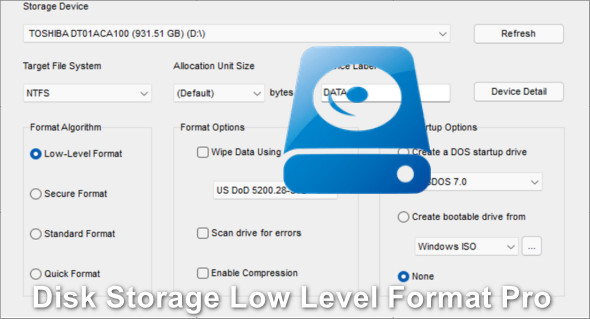
Disk Storage Low Level Format helps you perform a low-level format to its factory settings, filling the storage device with zeros. Reactivate an infected or damaged hard drive by masking bad sectors to create a clean, error-free surface for your data. You can also download USB Low-Level Format Pro.
The program also helps you create a bootable USB drive or hard drive after the formatting process. You can boot into MS-DOS, FreeDOS, or Windows operating systems using your storage device after just a few clicks. The software is portable and can be stored on a USB drive or any other external storage device.
The software supports all types of storage devices connected to the computer, regardless of their interface (SATA, IDE, SCSI, USB), and provides details about the selected device such as device name, device model, firmware revision, serial number, device ID, bus type, LBA (Logical Block Addressing), and total capacity. It supports NTFS, FAT16, FAT32, and ExFAT file systems. It also recognizes UDF, HFS+, ReFS, NTFS, FAT16, FAT32, and ExFAT file systems.
Features of the pro version of Disk Storage Low Level Format
– Supports storage devices up to 256TB.
– Windows did not recognize a low-level formatted disk/drive.
– Create a FAT32 volume larger than 32 GB in a fraction of a second.
– Optimize the storage device for read/write speed.
– Restore the disk/drive to full capacity.
Version : Pro 7.0
Language : English
Size : 7.45 MB
Configuration:
– Windows (x32/x64 Bits): XP, Vista, 7, 8, 8.1, 10, 11
Disk Storage Low Level Format Pro 7.0
This article was updated on February 23, 2022