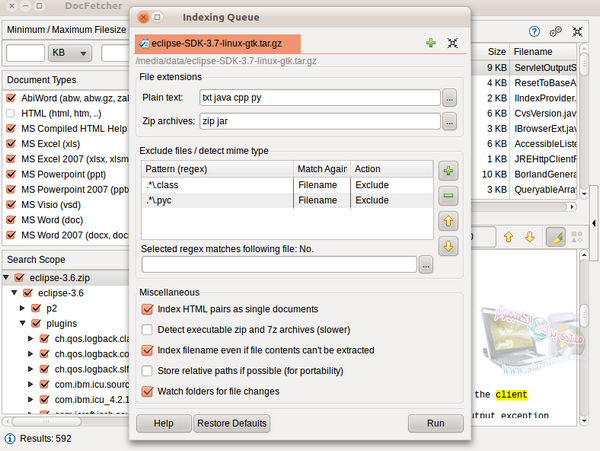
Docfetcher 1.1.16 is a local search engine on your PC that lets you easily find all your documents. The search is extremely fast because it's index-based. You define which folders to index. It's possible to create exclusions using regular expressions. The indexes are automatically updated when files are modified.
Search results can be sorted and filtered according to various criteria (file type, file size, path, etc.)
The search module is very powerful (using the logical operators OR, AND, NOT, searching for related words, searching for specific metadata, etc.). And with a very simple interface.
Supported formats:
– Microsoft Office (doc, xls, ppt)
– Microsoft Office 2007 and newer (docx, xlsx, pptx, docm, xlsm, pptm)
– Microsoft Outlook (pst)
– Open Document Formats (odt, ods, odg, odp, ott, ots, otg, otp)
– Portable Document Format (pdf)
– HTML (html, xhtml, …)
– Plain text (customizable)
– Rich Text Format (rtf)
– AbiWord (abw, abw.gz, zabw)
– Microsoft Compiled HTML Help (chm)
– MP3 Metadata (mp3) and FLAC (flac)
– JPEG Exif Metadata (jpg, jpeg)
– Microsoft Visio (vsd)
– Scalable Vector Graphics (svg)
– EPUB (epub)
- Size: 36.9 MB
- Language: Multi
- Size: 43.3 MB
- Language: Multi
This article was updated on July 22, 2016