In an increasingly connected world, protecting privacy has become a top priority.
Modern operating systems, such as Windows 10 and Windows 11, incorporate many tracking, telemetry, and data collection features.
While these tools can help Microsoft improve its products, they also expose users to risks of personal data leaks or unwanted behavioral analysis.
It is in this context that DoNotSpy11 Pro stands out as the most complete and powerful solution to regain total control of your privacy on Windows.
Developed by the same team as DoNotSpy10 and the free version of DoNotSpy11, this Pro edition goes further: it offers advanced features, an improved interface and automated tools to effectively protect your data without compromising the performance of your system.
Advanced, simple, and centralized protection
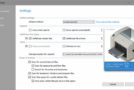
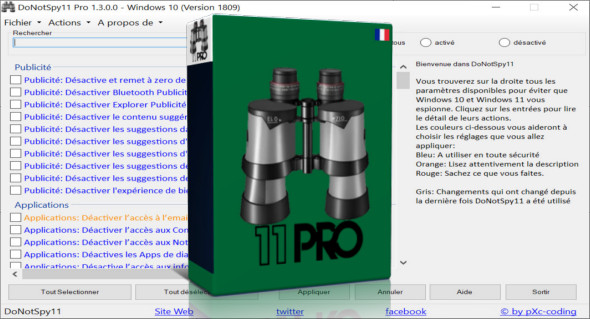
DoNotSpy11 Pro brings together all the privacy settings of Windows 10 and 11 in a single intuitive interface.
While Microsoft spreads tracking options across several complex menus, this application centralizes everything for fast, clear, and secure management.
Thanks to its ergonomic design, you can disable data collection services, block targeted advertising, prevent information sharing with Microsoft, and even limit telemetry from third-party applications.
The software offers you a complete and transparent view of what is happening in your system — something that no Windows menu natively allows.
The exclusive advantages of DoNotSpy11 Pro
The Pro version does not simply reproduce the functions of the standard version.
It introduces powerful tools designed for demanding users, professionals, and system administrators.
1. Enhanced and automated protection
DoNotSpy11 Pro offers an intelligent privacy profile system: it analyzes your configuration and suggests the best settings according to your needs (maximum security, balanced performance, or extended compatibility).
You can apply global changes with a single click, without having to go through each option manually.
2. Advanced Backup and Restore
Before any modification, the application automatically creates a Windows restore point, but it also allows you to save your preferences in custom files.
This allows you to export your privacy settings to apply them to other computers in seconds — ideal for businesses or IT technicians.
3. System analysis and detailed report
Thanks to its auditing function, DoNotSpy11 Pro scans your system and generates a comprehensive report on active privacy settings, diagnostic services still open, and options that compromise your security.
You know exactly what data is likely to be shared and can act immediately.
4. Automatic updates and priority support
Users of the Pro version benefit from automatic updates, ensuring compatibility with the latest versions of Windows.
Priority customer support is also included, ensuring prompt assistance in case of questions or problems.
5. Extended compatibility with Windows and Microsoft Edge
The Pro version supports advanced Windows 11 telemetry, new Microsoft synchronization services, and in-depth management of Microsoft Edge, OneDrive, and Office 365.
You can disable web tracking, block embedded ads, and remove automatic connections to external services.
Complete control over your Windows settings
DoNotSpy11 Pro allows you to manage over 150 system parameters in a granular way, including:
- Advertising and behavioral tracking : disabling advertising IDs and ad personalization.
- Application privacy : blocking access to the camera, microphone and geolocation.
- Windows Defender and security : management of analytics, notifications and data sharing.
- Windows Updates : total control over downloads, automatic restarts and scheduling.
- Synchronization and Cloud : disabling features related to OneDrive or Microsoft account.
- System telemetry : reduction or complete elimination of sending diagnostic data to Microsoft.
- Cortana and Windows search : disabling the voice assistant and web suggestions.
All these options are presented clearly, with detailed descriptions and recommendations, to help you make the right choices without risking altering the operation of your system.
A clear, intuitive, and multilingual interface
One of the major advantages of DoNotSpy11 Pro is its ease of use.
The interface has been redesigned to offer a smooth experience: well-organized categories, explicit icons, integrated explanations, and the ability to enable or disable settings on the fly.
In addition, the software automatically detects your system language and allows you to switch languages instantly, making the tool accessible to all users worldwide.
Lightweight, fast and reliable
DoNotSpy11 Pro is a lightweight program that does not affect the speed or stability of Windows.
All operations are instantaneous, and the software relies on native Windows features (such as restore points) to ensure maximum security.
This allows you to experiment with different settings without risk, and then revert to the previous settings if necessary.
Conclusion: Your privacy is in your hands
With DoNotSpy11 Pro, you have a professional, complete and intuitive tool to regain control of your digital life.
It frees you from the invisible surveillance built into Windows 10 and 11, and offers reliable, flexible, and scalable protection. You can also use Abelssoft Win10 PrivacyFix.
Whether you are an advanced user, an IT professional or simply concerned about your privacy, DoNotSpy11 Pro is the indispensable ally to guarantee a secure, stable system that respects your personal data.
Version : 1.3.0 Pro
Language : Multilingual (French included)
Size : 7.33 MB
Configuration:
– Windows (x32/x64 Bits): 7, 8, 10, 11
Download DoNotSpy11 Pro v1.3.0
This article was updated on November 3, 2025