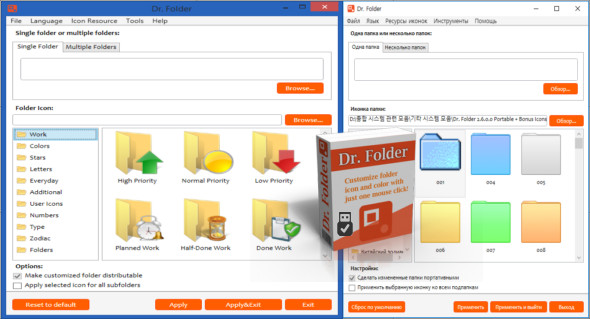
Dr. Folder Portable is a software that quickly changes folder icons to any other icon with just a few mouse clicks, speeding up the search and access to your files. It's a powerful yet easy-to-use program, thanks to its simple and user-friendly interface.
Dr. Folder contains a User Icons tab where you can add an unlimited number of your favorite icons and mark folders with them; it can mark folders by priority (high, normal, low), by degree of work completion (completed, semi-completed, planned), by work status (approved, rejected, pending), and by the type of information contained in a folder (working files, important files, temporary files, private files).
Sort and highlight important files
Prioritize your tasks or indicate process progress with "priority" icons to save time searching for files and protect important information from accidental deletion. Keep your folders separate from other folders and share them with other users on a single computer or local network.
Main features:
– Dr. Folder can change the network folder icon. This allows you to personalize your local network.
– Dr. Folder contains additional icons for office work
– Dr. Folder allows you to change the folder icon in the simplest way (a simple mouse click)
– Dr. Folder has two additional options for folder icon changes: “Make custom folder distributable” (portable) and “Apply selected icon to all subfolders”.
– Dr. Folder can change the color of a folder to normal, dark, and light states
Dr. Folder changes folder icons from a folder context menu. To change a folder icon, you don't even need to run the program!
– Dr. Folder’s context menu contains useful category submenus.
Configuration :
– Windows (x32/x64 Bits): XP, Vista, 7, 8, 8.1, 10
– Processor: 1 GHz
– RAM: 1 GB
Language : Multilingual (French included)
Size : 14.2
This article was updated on December 22, 2018