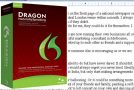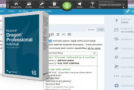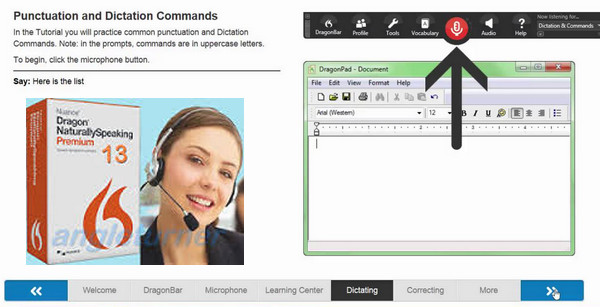
Dragon NaturallySpeaking 13 Premium is a speech recognition solution that allows you to use your voice to gain speed and efficiency on your PC.
At the office, at university or at home, Dragon Premium converts all your speech into text, and executes your voice commands much faster than if you were using a keyboard or mouse.
You can create and edit documents, send emails, search the web, or even interact on social networks, without ever touching your keyboard!
Dragon Premium lets you work wirelessly, transcribe dictated notes on the go, and use voice shortcuts to achieve unparalleled levels of productivity. So, put down the keyboard. And start speaking!
MAIN ADVANTAGES
Create, edit, and format your letters, articles, school assignments, essays, spreadsheets, and much more, simply by speaking. (Microsoft Word and Excel 2010 and 2013, Notepad, WordPad, and WordPerfect X6, X7)
– Explore the web using your voice to find data or images to include in your documents. (Compatible with Internet Explorer 9, 10, 11, Firefox, and Chrome)
– Dictate your notes on a digital recorder or smartphone, then let Dragon transcribe your recordings.
– Insert the texts or images you use most often using a simple voice command.
– Compose and send emails to your teachers, colleagues, friends, and family members, using your voice. (Microsoft Outlook 2010 and 2013)
– Talk in your instant messaging applications, to exchange ideas with your colleagues and classmates, or to stay in touch with your family.
– Fill out registration forms, subscription forms or online order forms, just by talking.
– Enter and check your schedule, meetings, children's activities, and all your other appointments, by voice.
– Check and update your social media accounts, such as Facebook and Twitter, using voice commands.
Top 5 new releases
Faster, more precise, smarter: the new Dragon has arrived
The new Dragon 13 Premium adapts to your work methods to offer you the fastest and most accurate way to control your computer, laptop or tablet PC, and multiply your productivity tenfold.
Dragon never stops learning
Dragon memorizes the words and phrases you use most often, including complex words and proper nouns. It also allows you to compile lists of words and phrases specific to your work, and even create your own voice commands.
Hands-free. And without a headset.
Dragon works with an ever-increasing number of PC applications and microphones, including those built into most modern laptops. Therefore, you no longer need a headset to use it.
Dragon follows you wherever you go
Capture ideas anytime on a digital recorder or your smartphone with the free Dragon Recorder app, then let Dragon transcribe your recordings onto your PC.
Check your texts by listening to them
Ultra-realistic speech synthesis, or replay your own dictations for quick and easy checks.
Ready in minutes
A redesigned, more intuitive interface and numerous tutorials ensure immediate usability of Dragon.
Configuration:
– Windows (x32/x64 Bits): XP, Vista, 7, 8, 8.1
– Processor: Dual-core clocked at 2.2 GHz
– RAM: 2 GB
– Disk space: 5 GB
Facility :
2- Burn or mount the image on a virtual drive.
2- Use the Keygen in the root directory of the DVD.
3- Once the keygen is launched, look for Nuance Dragon Naturally Speaking Premium v13. And generate a key.
4- Copy the key when the software asks you for it.
- Language : French
- Size : 4.0 GB
This article was updated on November 24, 2016