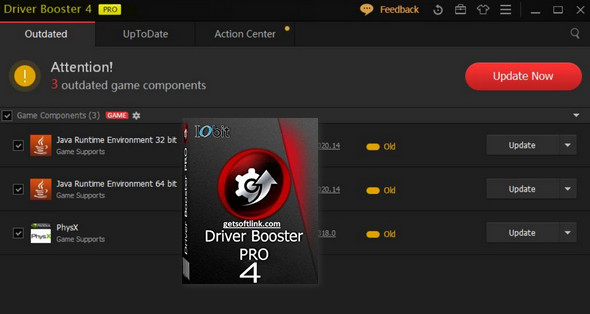
Update drivers with 200%'s larger database.
Reduce download time with Optimized Automatic Download
IObit Driver Booster scans your PC and tells you if any device drivers are outdated. If so, the application automatically downloads and installs them after setting a system restore point before any changes are made. All of this is done with a single click, saving you valuable time and making your PC more stable.
In addition, IObit Driver Booster configures drivers to achieve the best rendering and performance for gamers.
Included Features
* Scan and automatically identify obsolete, missing, and defective drivers
* Download & Update Outdated Drivers in One Click
* Smaller Driver Package with New Compression Algorithm
* Safer Upgrade with WHQL Certified Drivers
* Unlock the Speed Limit in the Driver Update
* Larger Database to Update More Obsolete & Rare Drivers
* Reduce Plant & System Crash for Better Performance
* Enhanced Auto Download to Speed Up Downloading
* Automatically back up all drivers for safe restoration
* Automatically download and install drivers during periods of inactivity
* The Priority of Updating Game Components
* Automatically update to the latest version
Configuration:
– Windows (x32/x64 Bits): XP, Vista, 7, 8, 8.1, 10
– Processor: Pentium 4 3GHz
– RAM: 512 MB
– Disk space: 1 GB
Facility :
This is a PORTABLE version
1. To keep the license, add the line
127.0.0.1 idb.iobit.com in your hosts file windows (C:\Windows\System32\drivers\etc)
2. Launch DriverBoosterPortable.exe who shouldn't even need a license
IF THAT DOESN'T WORK:
1. Launch the file DriverBoosterPortable.exe
2. Disconnect from the internet.
3. Click on [Enter License(bottom right)
4. Activate the license using the one indicated in key.txt
5. Restore the internet connection
6. To keep the license, add the line
127.0.0.1 idb.iobit.com in your hosts file windows (C:\Windows\System32\drivers\etc)
- Language : Multilingual (French included)
- Size : 73.6 MB
This article was updated on January 18, 2017