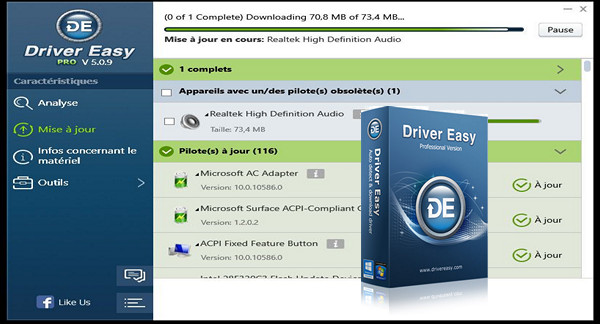
Are you having trouble downloading some or all of your drivers? Problem solved! Driver Easy automatically and instantly handles all your driver issues. From detection to driver updates, everything is done in just a few clicks!
Launch the scan tool to identify the hardware and peripherals on your computer, then access the latest driver versions offered by DriverEasy. Download and install updates directly from the user-friendly interface and schedule automated future maintenance to ensure your drivers are always up to date.
Note that in the free version, the download speed is limited to 80 KB/s; a point that is not too bothersome as long as the number of updates is not significant.
With this professional versionThe software unlocks this speed limitation and many other features: downloading all drivers in one click, creating restore points, backing up, restoring and uninstalling (if needed) drivers, among others.
Configuration:
– Windows (x32/x64 Bits): XP, Vista, 7, 8, 8.1, 10
– Processor: 1 GHz
– RAM: 512 MB
– Disk space: 15 MB
Facility :
It's a portable version, so no installation is required. You can even use it from a USB drive.
– Execute DriverEasyPortable.exe (choose the language the first time, see the file « How to change the language.jpg " )
Language Multilingual (French included)
Size : 3.9 MB
This article was updated on February 25, 2017