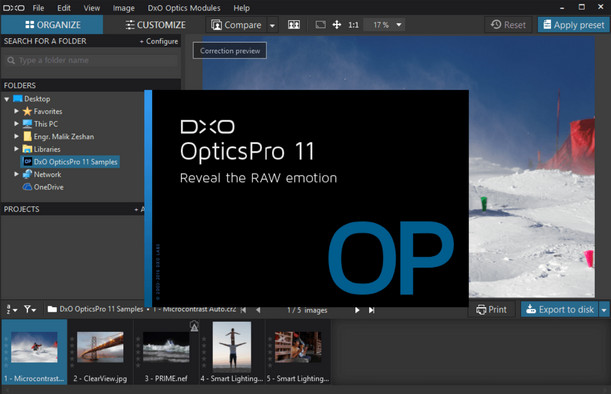
DxO Smart Lighting: Between Shadow and Light
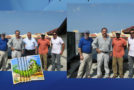
Uncover details in underexposed and overexposed areas of your images with DxO Smart Lighting, our exclusive automatic exposure optimization feature. Information you thought was missing from your RAW files is instantly revealed, even in very dark areas or in strong backlighting.
For absolute control, the Selective Tone function lets you adjust different brightness ranges separately, from the darkest to the brightest areas. The Shadows and Highlights sliders have been redesigned to capture maximum detail without flattening the midtones, resulting in a very natural look.
The advent of Spot corrections
DxO OpticsPro 11 introduces Spot Metering, which allows automatic corrections to be adjusted based on areas of interest in images. All the precision of classic spot metering, plus added flexibility!
Smart Lighting determines its action based on the analysis of faces or user-specified areas in manual mode, and applies it to the entire image. No more hesitation; you can adjust the sliders without affecting faces.
DxO PRIME 2016: Don't be afraid of the dark anymore
Detailed and vibrant images, even at the highest ISO settings: DxO PRIME's revolutionary noise reduction technology is designed to achieve optimal image quality. Its advanced algorithms automatically use camera calibration data to deeply analyze image structure and differentiate noise from fine details with unparalleled precision. For each pixel, nearly a thousand neighboring pixels are analyzed to identify similarities and recombine the information. Your photos are perfectly noise-free!
And many more features!
Red-eye correction (NEW)
Thanks to face and eye detection, red-eye is automatically corrected. For difficult cases such as profile views, semi-automatic and manual modes allow you to specify the location of the eye to be corrected.
Anti-Moiré
Remove any colored patterns that appear on very fine patterns (wire mesh, fabric, tiles, etc.).
Color rendering: bring your images to life
Thanks to the calibration of the equipment in our laboratories, faithfully reproduce the color rendering of your camera, or choose that of another to standardize a series taken with different cameras.
Protection of saturated colors
Reveal the full richness of detail and texture in your photos, even in areas with very bright colors.
ICC Profile Management
Harmonize color rendering using ICC profiles for vibrant prints.
Dustproof
Remove dust from your lens or sensor in one click. Also works in batch processing.
Image sorting
Classify your photos using numerous criteria: camera type, ISO value, processing status or virtual copy number.
Integrated printing
Quickly produce full-page or contact sheet prints.
Retina compatibility
Enjoy the full visual quality offered by Retina displays and preview your images in high definition on Mac OS X.
Configuration:
Windows: 7/8/10 (64-bit)
Processor: 2 Duo or higher, AMD Athlon 64 X2 or higher
RAM: 1 GB
Graphics card: Supports DirectX 9.0.c
Hard drive: 2 GB
Facility:
1. Disconnect your internet connection
2. Install the application in the default folder by double-clicking on "DxO_OpticsPro11_Setup.exe" with admin rights.
* Allow the application to install NET Framework 4.5 if required.
** You may need to restart your system.
3. Uncheck the "Automatic update" and "Participation" boxes. Do not update the application.
– Do not launch the software at the end of the installation.
4. Copy to the DxO installation folder C:\Program Files\DxO Labs\DxO Optics Pro (for the 64-bit version)
5. Launch the patch by right-clicking and choosing "run as administrator"
6. When the patch is launched, press the left head, wait a few seconds and close.
7. Launch DxO
- Languages: French / German / English
- Size: 442.6 MB
This article was updated on November 20, 2024