ECam Pro is a professional CNC simulation software, specifically designed for machining operations on lathes. It is aimed at programmers, machine operators, technicians, and trainers who want to plan, simulate, visualize, and optimize their production cycles. With its intuitive interface and advanced features such as backplotting, machining timelines, real-time 3D modeling, and automatic setup sheet generation, ECam Pro has become an essential tool in the field of CNC turning.
A tool dedicated to rotary machining
Unlike general-purpose CAM (Computer-Aided Manufacturing) software, ECam Pro is specifically designed for CNC lathes. It supports the entire machining process, from creating simple or complex shapes to complete toolpath simulation, all within a realistic 3D environment.
Its simulation engine integrates the lathe's technological parameters (spindle speed, feed rate, tool type, materials, etc.) and provides an accurate and faithful representation of each operation. This allows users to detect potential errors or collisions before even producing the first actual part, thus reducing costs, material waste, and machine downtime.
Key features of ECam Pro
1. Real-time 3D modeling
Each step of the cutting process is visualized in 3D, with automatic updates to the stock based on previous operations. This allows for rapid visual control of material removal.
2. Interactive machining timeline
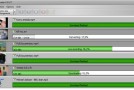
All operations are presented in a clear timeline. Clicking on a step provides direct access to its parameters (time, operation type, tool, etc.). Color coding facilitates reading the sequences and highlights cutting times.
3. Fast Shapes Function
Creating recurring geometric shapes (cylinders, cones, grooves, threads, chamfers, etc.) takes just a few clicks. Simply enter the dimensions: ECam Pro automatically generates the associated toolpath.
4. Backplotting and dynamic simulation
The software offers an animated visualization of the toolpath, with control over speed, feed, spindle, and even tool changes. This facilitates the analysis and validation of the generated G-code.
5. Automated adjustment sheet
Once the sequence is validated, ECam Pro can automatically generate a Setup Sheet in HTML format. This document contains all the information needed by the machine operator: tools used, lengths, depths of cut, estimated time, etc.
6. Advanced customization and G-code export
The software allows exporting the final G-code to various formats compatible with the main CNC controllers on the market (Fanuc, Siemens, Haas, Mazak, etc.). Users can also customize the post-processors to suit their workshop's needs.
Who is ECam Pro designed for?
- Production workshops looking for a quick and reliable solution to validate toolpaths before actual machining.
- Training centers wishing to teach CNC turning in a visual and intuitive way.
- Methods Technicians who want to generate optimized cycles and technical documents (setup sheet).
- Freelancers or artisans who work on small batches and want to secure each machining cycle.
Complementary to Adobe Substance 3D Stager
In certain situations, it can be useful to combine ECam Pro with a more advanced staging and rendering tool. For example, for clients or marketing departments wishing to present a product or machined part in a photorealistic context, it is possible to export the model from ECam Pro (in STL or OBJ format) and import it into Adobe Substance 3D Stager.
Substance 3D Stager then allows you to create a realistic environment with advanced lighting, backgrounds, materials, and textures. This combination is particularly useful for client documentation, aesthetic validation, or visual communication surrounding a technical project.
Conclusion
ECam Pro is much more than just a CNC simulator: it's a complete and user-friendly platform for creating, testing, validating, and documenting turning operations. With its real-time 3D modeling capabilities, visual timeline, smooth backplotting, and industry compatibility, it integrates seamlessly into even the most demanding professional environments.
And if you want to take your presentations even further, remember that you can import them into Adobe Substance 3D Stager to make them come alive, realistic and ready to be presented.
Version : 5.0.406 Pro
Language : Multilingual (French included)
Size : 205.58 MB
Configuration:
– Windows (x64 Bits): 10, 11
Download ECam Pro v5.0.406
This article was updated on July 29, 2025