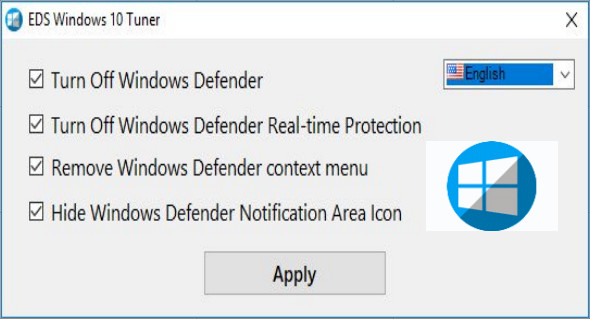
Windows Defender protects your PC against malware (such as viruses, spyware, and other unwanted programs) and potentially unwanted software. EDS Windows 10 Tuner is an easy-to-use utility for Windows 7, 8, and 10 that allows you to enable or disable Windows Defender, and control real-time protection and other features.
Enable or disable Windows Defender
The utility helps you to fully enable or disable Windows Defender for all Windows 10 users.
Enable or disable Windows Defender real-time protection
In Windows 10, you can disable Windows Defender's real-time protection, but this protection is only temporary. Windows will automatically re-enable real-time protection if it is disabled for a certain period. EDS Windows10 Tuner can completely disable real-time protection.
Add or remove a Windows Defender context menu
This application allows you to add or remove a Windows Defender desktop context menu so that all users can quickly open, update, and perform a quick scan, rapid scan, or full scan with Windows Defender in Windows 10.
Hide or show the Windows Defender notification area icon
EDS Windows10 Tuner helps you hide or show the Windows Defender notification area icon in your account's taskbar in Windows 10.
During program installation, uncheck the boxes to avoid installing additional software.
Configuration :
– Windows (x32/x64 Bits): 7, 8, 8.1, 10
– Processor: 1 GHz
– RAM: 1 GB
Language : English / Russian
Size : 0.7 MB
This article was updated on January 22, 2019