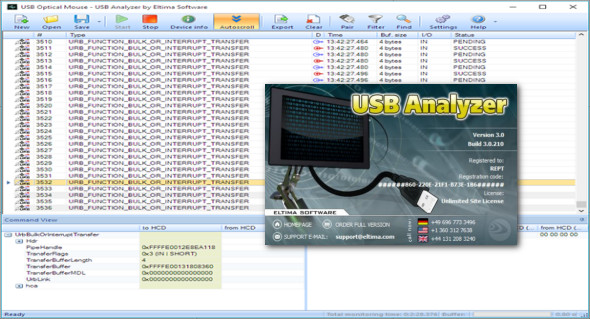
USB Protocol Analyzer is an easy-to-use USB data monitor for Windows. It provides a comprehensive view, allowing you to monitor and analyze the activity of USB devices.
The USB Traffic Analyzer tool can intercept, record, display, and analyze incoming and outgoing data between any USB device connected to your computer and your applications. The USB device analyzer can be used effectively in the development of your applications, USB device drivers, or hardware. It's your essential platform for efficient coding, testing, and optimization.
Monitor USB activity
This USB device monitor lets you analyze USB data from devices connected to your computer. It works in real time. You can view the data as a raw hexadecimal dump, and simultaneously, it will be displayed as decoded, readable text for your convenience. USB Analyzer is an efficient USB port monitor that automatically detects and displays connected USB devices. When you need to monitor USB data from multiple devices at once, you can easily create multiple sessions.
Capture IRPs, URBs, and IOCTLs. Save and export USB data
Analyze USB traffic in real time with USB Analyzer by intercepting IRPs, URBs, IOCTLs, and data transferred through USB hubs. The USB monitor can save the analyzed data for later reference and export it to various formats. You can save the captured data to a binary file and export it as plain text, CSV, XML, or HTML.
Show monitored packets
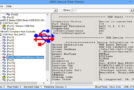
USB Port Analyzer displays brief information about the packets it monitors. You can also view an in-depth analysis of each selected packet individually. See brief information for each packet you monitor at the top, and more detailed content in the command and data views. The data view contains data in both Hex and ASCII formats.
Dynamic filtering
USB Analyzer allows for flexible filter configuration to apply to captured data. Required data can be dynamically displayed while automatically masking unnecessary packets.
Switching between incoming and outgoing packets
While monitoring USB drive activity, you don't need to manually search for incoming and outgoing packets. Simply click the "Pair" button to automatically display the corresponding IN/OUT packets.
Full list of features:
– Interception, recording, display and analysis of incoming and outgoing data between the USB device and the application
– All connected USB devices are displayed in a simple list or hierarchical tree.
– Real-time interception of IRPs, URBs, IOCTLs, and data transferred via any USB device stack
– Support for USB hubs
– Raw hexadecimal dump
– Ability to filter out irrelevant information from the analyzed data
– Switching between the corresponding outgoing and incoming packets
– Support for USB 3.0 devices
– Ability to display information about the device
– Option to stop monitoring upon receipt of specified data
– Practical search within the captured data
– Saving the collected data to a binary file for later analysis
– Export of collected data to TXT, CSV, XML or HTML files
– Monitoring of multiple USB devices.
Configuration :
– Windows (x32/x64 Bits): XP, Vista, 7, 8, 8.1, 10
– Processor: 1 GHz
– RAM: 1 GB
Language : English
Size : 10.1 MB
This article was updated on March 3, 2019