ESET Smart Security 2015 is undeniably an excellent suite. Lightweight yet powerful, it offers users comprehensive and easily configurable protection. A suite worth trying and adopting without hesitation.
While the publisher Eset made a name for itself with its lightweight and efficient antivirus NOD32, its range has since expanded with the complete Eset Smart Security suite.
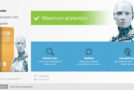
With its simple and clear interface, this suite naturally benefits from extensive experience in protection against viruses, spyware, worms, and other threats. Real-time protection and on-demand scanning both leverage the publisher's core technologies and heuristic analysis, as well as the cloud with ESET Live Grid; a technology that significantly improves response time to emerging threats.
In addition, the suite will protect its users from phishing and includes a social media analytics feature to help everyone configure their profiles correctly according to their needs. A parental control tool is also available within the suite if needed.
Finally, note that it is possible to activate a "gamer" mode which allows you to limit the impact of the antivirus on computer performance as much as possible during gameplay.
Minimum configuration
The 2015 edition of ESET Smart Security works on Microsoft® systems
Windows® 10, 8.1, 8, 7, Vista, XP, and Microsoft Windows Home Server 2003, 2011.
The product requires an internet connection.
- Language: French
- Size: 179.23 MB
Installing and activating ESET SmartSecurity 8
Install the version of Smart Security 32 that corresponds to your system (32 or 64 Bits) as usual.
– Open ESET SmartSecurity (right-click on the taskbar icon and then select "Open ESET Smart Security 8")
– Press the F5 key (the advanced configuration screen appears)
– Open the “Computer” section, then “HIPS”, uncheck “Enable HIPS” and “Enable self-defense” and confirm.
Very important => Restart your computer!
After restarting,
– Right-click on the ESET icon in the taskbar, then select “Temporarily disable protection”,
Choose "Yes", select "Until the next restart", and "OK".
– Run Eset_fix.exe (as administrator), and click on “Fix it”
– Let the software work for a little while.
– And there you go! Your product is now activated!
– Please repeat the steps to reactivate self-defense and HIPS.
– In Update, click Update now to update the latest signatures.
Do not activate the anti-theft protection; as an unregistered user, it will not work.
PS: If you cannot find "Eset_fix.exe", it has been deleted by the antivirus; please restore it by going to
In the "Tools" tab, under "Quarantine", right-click on "Eset_fix.exe" and restore.
If you cannot run it, it means your antivirus software is active; disable it before launching Eset_fix.exe.
This article was updated on July 22, 2016