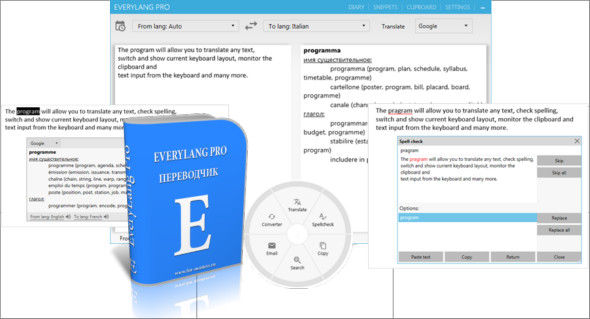
EveryLang Pro is a tool that lets you translate any text, check spelling, change and display the current keyboard layout, monitor the clipboard, and more. This program will help you work with text more easily and quickly. You can also use DeepL Pro.
Translator
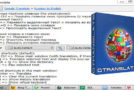
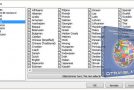
Translate into over 30 languages using Google, Microsoft, and Yandex services. Select the desired text, press the shortcut keys, and the translation will appear instantly next to your mouse cursor. No configuration is required; the program will automatically determine the target language.
Layout indicator
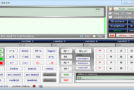
The indicator shows the current layout next to the mouse cursor. The text cursor, as a separate indicator window, works in almost all programs, including console applications.
Automatic switching of provisions
Automatic layout switching eliminates the need to monitor the current input language. As you type, the program will automatically recognize that the entered word belongs to a different layout. The program also automatically generates rules for automatic language switching based on how the user manually switches the language of the last word entered.
Clipboard manager.
It keeps track of changes to the clipboard, follows text formats (plain text, HTML, RTF), and also the paths of copied files. The history text can be inserted into any application using a separator window.
Diary
View your typed text history across all applications. Because your typed text is saved in the application's memory, you can always see previously typed sections.
Smart click
The most essential functions for working with text using the mouse. Select the text and double-click the middle mouse button. Using the window that appears, you can copy the text, translate, check spelling, change case, open the clipboard history and snippet list, etc.
Text converter
The text converter includes the following functions: expression calculation, conversion of numbers and dates to words, transliteration of text into Latin, framing text with quotation marks, conversion of text to CamelCase style, changing the case of selected text, and changing the case of the first character of a word. All functions work when you press the shortcut keys and with SmartClick.
Version : Pro 5.7 / Portable: Free 5.6.2
Language : Multilingual (French included)
Size : 51.51 MB
Configuration:
– Windows (x32/x64 Bits): 7, 8, 8.1, 10
EveryLang Pro 5.7 + Portable Free
This article was updated on April 23, 2021