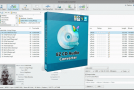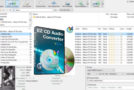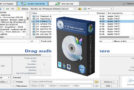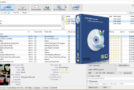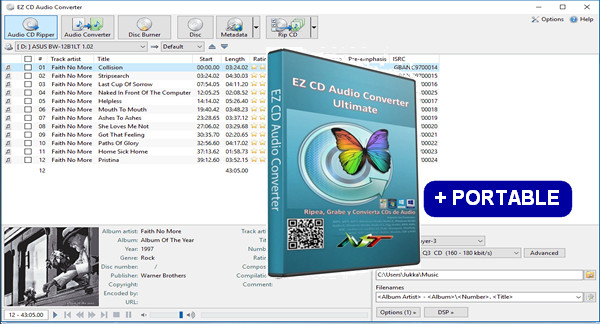
EZ CD Audio Converter is software that allows you to extract all (or some) of the tracks from an audio CD and convert them to MP3 format in just a few clicks. The software reads the audio CD and displays the tracks. Selecting the tracks to extract and the extraction process happens immediately.
EZ CD Audio Converter is a CD ripper, audio converter, metadata editor, and disc burner. It rips audio CDs, makes disc copies, converts MP3s and other audio files, and burns audio CDs, MP3 CDs, and data discs. EZ CD Audio Converter is easy to use, fast, and delivers the best audio quality.
Main features:
– Easy to use
– Optimized for optimal audio quality
– Audio CD ripping with error detection
– Conversion between audio formats while preserving metadata
– Burn audio CDs, MP3 discs, and data discs
– Automatic updates (free lifetime updates included)
– High-quality automatic cover art downloads
– Features: ReplayGain, normalization, silence removal
– Convert audio from video files
– Provides 1:1 copy quality for CDs and DVDs
Power characteristics:
– Fastest audio converter, can convert up to 8 files simultaneously
– The best audio codecs included
– Automatically download metadata with high-quality coverage from multiple services (GD3, MusicBrainz, Freedb)
– Uses multi-core processors and multimedia instructions (SSE, MMX) for improved performance
– Gapless audio converter and gapless sampling rate conversion
– Creates and burns cue sheets (.cue), all types
– Full ReplayGain support
– Rips hidden audio tracks (HTOA)
– Supports CD-Text, ISRC, pre-gap and pre-stress detection
EZ CD Audio Converter uses:
– Transfer your CD collection to audio files
– Convert audio files for your portable device or phone
– Compress audio files to save hard drive space
– Burn personalized audio CDs
– Burning audio files onto audio CDs
– Convert audio files for use as ringtones
– Convert audio files not supported by other software
– Convert the audio tracks from video files
– Manage audio file metadata
Technical specifications:
Audio format output:
AAC, HE AAC v1 (eAAC), HE AAC v2 (eAAC +), PCM, Monkey'sAudio, FLAC, Apple Lossless, MP3, Vorbis, Opus, Windows Media Audio, WavPack, Musepack
Output file formats:
Aac, aif, monkey, cue, flac, m4a, m4b, m3u, mp3, mp4, ogg, opus, wav, wma, wv, mpc
Enter audio formats:
AAC, HE AAC v1 (eAAC), HE AAC v2 (eAAC+), PCM, Monkey's Audio, FLAC, Apple Lossless, MP1, MP2, MP3, Vorbis, Opus, Windows Media Audio, WavPack, Musepack
Input file formats:
M3a, m4a, m4b, m3b, m3b, m3b, m3b, Mk, mkv, mov, mp1, mp2, mp3, mp4, mpc, mpeg, mpg, ogg, oma, omg, opus, ram, rm, shn, spx, tak, tta, vob, w64, wav, Wma wmv wv
Supported audio modes:
Stereo, Mono, 5.1* and 7.1*
Supported sampling rates:
8 kHz to 192 kHz
Supported bit depths:
8-bit, 16-bit, 24-bit, 32-bit*, 32-bit floating-point*, 64-bit floating-point*
Audio precision:
The audio is processed with 32-bit floating-point precision for superior results. It supports seamless encoding and decoding and utilizes flawless sample rate conversion.
ReplayGain:
Uses the ITU-R BS.1770 / EBU R128 intensity calculation algorithm for improved accuracy
Internet disk databases:
GD3, MusicBrainz, Freedb
CD/DVD burning:
Supports burning from cue sheets (.cue). Supports burning text CDs. Supports ISO-9660/Joliet and UDF file systems
Configuration:
– Windows (x32/x64 Bits): XP, Vista, 7, 8, 8.1, 10
– Processor: P4 3GHz
– RAM: 1 GB
– Disk space: 10 MB
Facility :
1. Install " EZ CD Audio Converter Setup.exe"
2. Copy the Crack/x64/ fileezcd.exe or Crack/x86/ezcd.exe (Depending on your system) in the EZ CD Audio Converter installation folder
Portable Version
– For Win x64
Run EZ CD Audio Converter Ultimate 5.1.1.1 Multilingual Portable x64 WIN\EZCDAudioConverterPortable.exe
– For Win x86
Run EZ CD Audio Converter Ultimate 5.1.1.1 Multilingual Portable x86 WIN\EZCDAudioConverterPortable.exe
- Language : Multilingual (French included)
- Size : 190.4 MB


This article was updated on February 7, 2017