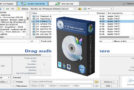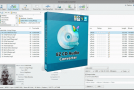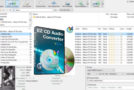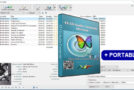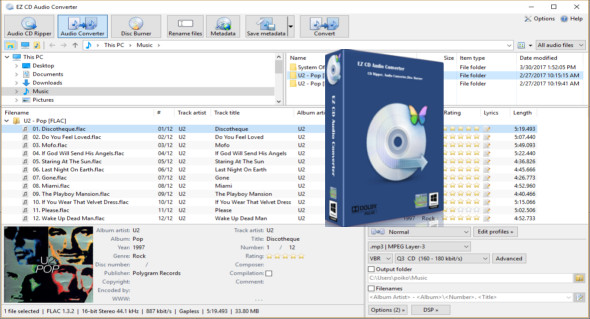
EZ CD Audio Converter is an all-in-one software: audio CD ripper, audio converter, metadata editor, and disc burner. The software can rip audio CDs, make disc copies, convert audio files, and burn audio CDs, MP3 CDs, and data discs. It features a very fast multi-core audio converter that allows parallel audio conversion with up to 8 parallel converters. EZ CD Audio Converter is fast and easy to use and delivers the best audio quality.
EZ CD Audio Converter includes the most advanced audio codec available, aacPlus from Coding Technologies. In addition, EZ CD Audio Converter also supports command-line (.exe) encoders.
EZ CD Audio Converter supports all popular audio file formats, such as 3G2, 3GP, MP1, MP2, MP3, Windows Media Audio (WMA), Ogg Vorbis (OGG), MP4, M4A (AAC and Apple Lossless), AAC, aacPlus (HE-AAC, AAC+, HE-AAC+ PS, eAAC+). It also supports FLAC, Musepack (MPC), WavPack (WV), WAV, AIFF, Audio Monkey (APE), CUE, and M3U.
EZ CD Audio Converter actually contains three separate programs:
Audio CD Ripper — Copies audio CDs to the selected audio format.
Audio File Format Converter — Converts audio files from one format to another.
CD/DVD Creator – Burns an audio CD, an MP3 CD/DVD, a data CD/DVD and a video DVD.
Audio CD ripper
It converts audio CDs to MP3 and CDAs to MP3. It removes audio CDs with accurate error detection. It automatically downloads metadata with high-resolution coverage. It detects the CD-Text, Pre-Gaps, Pre-Emphasis, Catalog, and ISRC properties of an audio CD. It performs on-the-fly conversion to the selected audio format. It can create an exact image of the original audio CD with its disc image function. It supports single-file and multi-file (.cue) cue sheets.
Audio converter:
It converts audio files between different formats (e.g., CD to MP3, FLAC to MP3, WAV to MP3) with the best audio quality. Maximum performance is achieved with parallel multi-core conversions. Metadata can be downloaded automatically or entered manually. It also includes a cover art downloader. Metadata is preserved during audio file conversion. Full ReplayGain support is provided. It also converts audio from video files.
Metadata editor
Integrated into the audio converter. Allows you to edit the metadata of existing audio files. Download metadata and cover art from multiple services. Additionally, you can rename files based on the metadata. You can also calculate and save ReplayGain values for existing files.
Disc burner
Burns audio CDs, MP3 discs, and data discs. Burns Cue Sheets (.cue). All Cue Sheet variants are supported. Supports ReplayGain normalization. Also supports burning CD-Text. In addition, it burns disc images (ISO, BIN, CUE).
Main features:
– Reliable and easy to use
– Better audio quality
– Secure audio CD ripper with error detection
– Converts all audio formats while preserving metadata
– Burn audio CDs, MP3 discs, and data discs
– The best audio codecs are included
– Automatic updates (free lifetime updates included)
– Automatic download of high-quality cover art
– Features: ReplayGain, normalization, silence removal
– Convert audio from video files
– Yields 1:1 copies of CDs and DVDs
Power characteristics:
– Fast audio converter, can convert up to 8 files simultaneously
– Automatically download metadata with high-quality coverage from multiple services (GD3, MusicBrainz, Freedb)
– Uses multi-core processors and special multimedia processor instructions (SSE,
– MMX) for better performance
– Gapless audio conversion, gapless sample rate conversion
– Supports Cue Sheets (.cue), all types
– Full ReplayGain support
– Rips hidden audio tracks (HTOA)
– CD-Text, ISRC, pre-gap and pre-emphasis detection
Configuration:
– Windows (x32/x64 Bits): XP, Vista, 7, 8, 8.1, 10
– Processor: 1 GHz
– RAM: 1 GB
Language Multilingual (French included)
Size : 57.5 MB
This article was updated on May 11, 2018