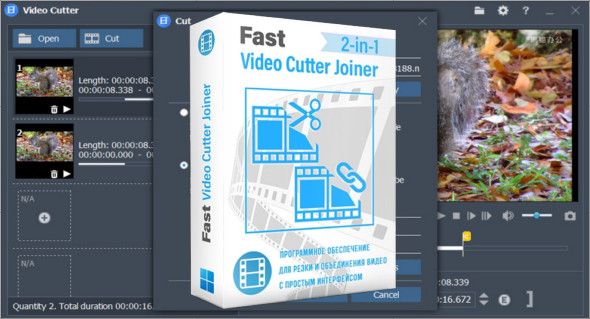
Fast Video Cutter Joiner is a simple, fast, and efficient video editing software designed to allow users to easily cut and merge video files. Whether you're an amateur videographer, content creator, social media influencer, or simply a user wanting to edit your personal videos, this software is the ideal solution for performing basic edits with professional results.
With its intuitive interface and powerful features, Fast Video Cutter Joiner is suitable for both beginners and experienced users. It allows you to precisely cut segments from your videos, merge multiple clips into a single file, or even extract the audio track from a video to save it separately. All this without any loss of quality, thanks to its no-re-encoding cutting options.
Why choose Fast Video Cutter Joiner?
Most free video editing software is either too limited or too complex. Fast Video Cutter Joiner strikes the perfect balance: it's lightweight, quick to install, easy to use, and above all, free. It requires no prior technical knowledge and lets you edit videos in just a few clicks.
Main features
1. Ultra-fast video cutting
Fast Video Cutter Joiner allows you to cut a video without re-encoding, meaning the file retains its original quality and the process is virtually instantaneous. Simply define the start and end points, and the selected segment is extracted immediately.
2. Merging multiple video files
Do you have multiple clips you want to combine? This software lets you merge several videos into a single file, with smooth transitions between segments. Ideal for creating a personal film, vlog, or professional video without using complex software.
3. Audio extraction
Need only the sound from a video? With one click, you can extract the audio track and save it in MP3 format, perfect for creating a soundtrack, a podcast or capturing background music.
4. Supports many formats
Fast Video Cutter Joiner supports a wide range of video formats: MP4, AVI, MOV, MKV, FLV, RMVB, MPEG, etc. This allows you to work on almost any file without needing to convert it beforehand.
5. Fast mode and re-encoding mode
- Quick mode : no re-encoding, no loss of quality.
- Re-encoding mode : useful if you want to change the output format or adjust settings such as resolution or bitrate.
6. Simple and accessible interface
The interface is designed to get straight to the point. No cumbersome menus or superfluous options: everything is clearly organized, with well-identified buttons and guided steps.
Concrete use cases
- To cut out an unnecessary part of a personal video.
- Merge clips from vacation videos.
- Extracting music from a music video.
- Shorten a video for posting on social media (Instagram, TikTok, YouTube Shorts).
- Prepare a simple montage to share with friends or in a professional setting.
Recommended alternative: Windows Movie Maker
If you're looking for an alternative with more editing options, such as adding titles, visual effects, and transitions, you can try Windows Movie Maker, another popular tool. Although it is more geared towards creative editing, it remains accessible to beginners.
Conclusion
Fast Video Cutter Joiner is an essential solution for anyone looking to edit videos quickly, easily, and efficiently. Thanks to its intuitive interface, high performance, and ability to process videos without any loss of quality, it perfectly meets the needs of both beginners and advanced users. Whether you need to cut a scene, merge multiple clips, or extract an audio track, this software allows you to accomplish these tasks in just a few clicks, without requiring advanced technical knowledge.
Version : 7.0.3
Language : Multilingual (French included)
Size : 54.83 MB
Configuration:
– Windows (x32/x64 Bits): 7, 8, 8.1, 10, 11
Download Fast Video Cutter Joiner v7.0.3 + Portable
This article was updated on February 28, 2026