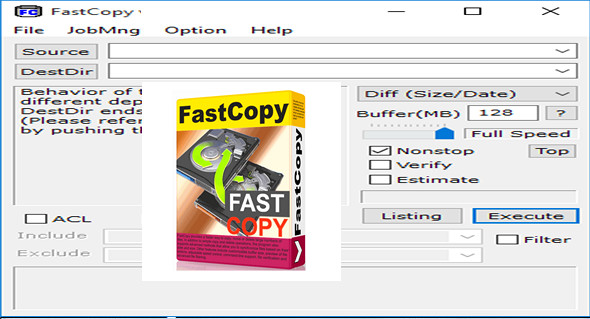
FastCopy Pro is a file copying software for Windows, renowned for its exceptional speed and ability to handle very large volumes of data. It is designed for both professional users and demanding individuals who want to transfer, synchronize, or back up their files quickly and securely.
Today, with increasingly faster SSDs and a proliferation of large files (4K videos, databases, system backups), traditional Windows copy utilities are showing their limitations. This is where FastCopy Pro stands out. It surpasses not only Windows Explorer, but also other software thanks to an architecture optimized for speed and stability.
Why choose FastCopy Pro to transfer your files?
The engine of FastCopy Pro It fully utilizes the performance of your storage media. Unlike the copy tool built into Windows, FastCopy uses Direct I/O read/write and advanced multithreading to maximize bandwidth and minimize transfer time. It can transfer several gigabytes in seconds, while ensuring data integrity.
Key features of FastCopy Pro
- Ultra-fast transfer FastCopy Pro overcomes the limitations of the Windows system by directly accessing disks, enabling impressive copy speeds, particularly on NVMe SSDs or RAID disks.
- Support for long paths : It can handle file paths exceeding 260 characters, a common problem when backing up deep folders.
- Perfect Verify Once the transfer is complete, FastCopy can compare the copied files with the originals bit by bit to ensure data integrity.
- Directory synchronization Ideal for regular backups, FastCopy can synchronize two folders while removing obsolete files.
- Shell extension for Windows 10/11 The application integrates directly into Windows Explorer, allowing quick access to copy/move functions.
- Simple and efficient interface Although minimalist, the interface offers clear and easy-to-configure advanced options.
- Unicode support : Easily handles filenames containing special, non-Latin or international characters.
Who is FastCopy Pro designed for?
FastCopy Pro is the go-to tool for:
- System administrators performing network backups.
- Video editors handling numerous high-definition files.
- Photographers or designers handling large projects.
- Companies seeking a reliable solution for server or client workstation duplication.
Users looking for fast, stable and efficient file transfer software will find a robust solution with FastCopy Pro.
Differences between FastCopy and FastCopy Pro
Although the free version of FastCopy is already very efficient, FastCopy Pro adds several advantages:
- Better compatibility with professional environments.
- Advanced CPU management functions (CPU affinity, optimal multi-core).
- Additional scripting and automation options.
- It can be used in a commercial or corporate setting.
- Priority technical support.
Alternative: TeraCopy Pro
Although FastCopy Pro is one of the fastest software programs in its category, some users prefer more graphical interfaces. This is the case with TeraCopy Pro, a popular alternative that also offers verification options, transfer resumption in case of failure, and integration with the Windows context menu. To learn more about TeraCopy Pro Portable, you can visit the following link: https://www.trucnet.com/teracopy-pro-portable/
Conclusion
FastCopy Pro is much more than just a file copying tool. It's a professional, fast, and reliable solution that integrates seamlessly into demanding workflows. Whether you're a casual user or an IT professional, this software will save you valuable time while ensuring rock-solid reliability.
Version : Pro 5.10.0
Language : English
Size : 7.48 MB
Configuration:
– Windows (x32/x64 Bits): 7, 8, 10, 11
Download FastCopy Pro v5.10.0 + Portable
This article was last updated on July 13, 2025