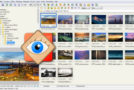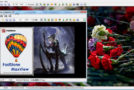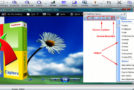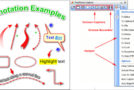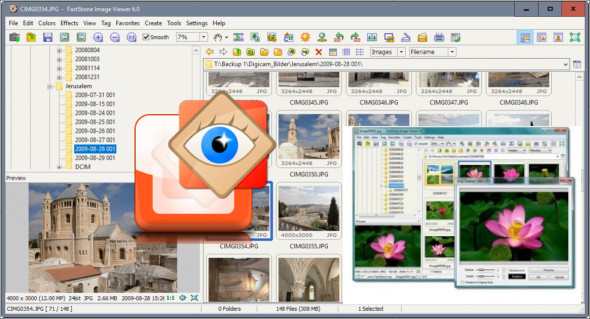
FastStone Image Viewer is a fast, stable, and user-friendly image browser, converter, and editor. It offers a wide range of features, such as viewing, managing, comparing, red-eye removal, emailing, resizing, cropping, and color adjustment.
Its innovative yet intuitive full-screen mode offers quick access to EXIF information, the thumbnail browser, and core features via hidden toolbars that appear when your mouse hovers over the four edges of the screen. You can also use XnViewMP.
Other features include a high-quality magnifier and a music slideshow with over 150 transition effects, as well as lossless JPEG transitions, drop shadow effects, image annotation, scanner support, a histogram, and much more. It supports all major image formats (BMP, JPEG, JPEG 2000, animated GIFs, PNG, PCX, TIFF, WMF, ICO, and TGA) and classic digital camera RAW formats (CRW, CR2, NEF, PEF, RAF, MRW, ORF, SRF, and DNG).
Features of FastStone Image Viewer:
– Image browser and viewer with a familiar user interface similar to Windows Explorer
– Supports many common image formats: BMP, JPEG, JPEG 2000, animated GIFs, PNG, PCX, TIFF, WMF, ICO and TGA, as well as classic digital camera RAW formats (CRW, CR2, NEF, PEF, RAF, MRW, ORF, SRF and DNG).
– True full-screen display with image zoom support and unique drop-down menu panels
– Crystal-clear and customizable one-click image magnifier
– Superior elimination/reduction of the red-eye effect with a completely natural-looking final result
– Image editing tools: resize/resample, rotate/flip, crop, sharpen/blur, brightness/contrast, etc.
– Resampling algorithms to choose from when resizing images
– Image color effects: grayscale, sepia, negative, red/green/blue adjustment
– Image special effects: watermark, annotation, drop shadow, framing, embossing, background, lens, morph, waves
– Multi-level cancellation/restoration options
– Support for displaying actual-size images with optimal adjustment
– Image management, including tagging functionality, with support for drag and drop and copying to/moving to a folder
– Histogram display with color counter function
– Compare the images side by side (up to 4 images at a time) to easily eliminate lost images
– Support for EXIF image metadata (plus comment editing for JPEGs)
– Configurable batch processing to convert/rename large or small image collections
– Create slideshows with over 150 transition effects and support for music (MP3, WMA, WAV…)
– Create effective image attachments to send via email to your family and friends.
– Print images with full layout control
– Create fully configurable contact sheets – like the pros (and save $$$ on ink)
– Create memorable artistic image montages from family photos for custom wallpapers (Wallpaper Anywhere)
– Acquiring images from a scanner
– Versatile screenshot capability
– Powerful save interface to compare image quality and control the size of the generated file
– Launch favorite programs with a single tap in the image viewer
– Create a fully portable version of the program, without installation, that can be run from a removable storage device
– Configurable mouse wheel support
– Supports multiple program skins
– Supports dual monitor configurations
– Portable Version
– And much more…
Version : 8.2 /Portable: 8.2
Language : Multilingual (French included)
Size : 30.98 MB
Configuration:
– Windows (x32/x64 Bits): 7, 8, 8.1, 10, 11
Download FastStone Image Viewer v8.2 + Portable
This article was last updated on November 22, 2025