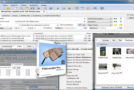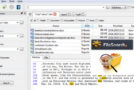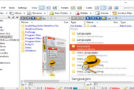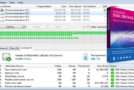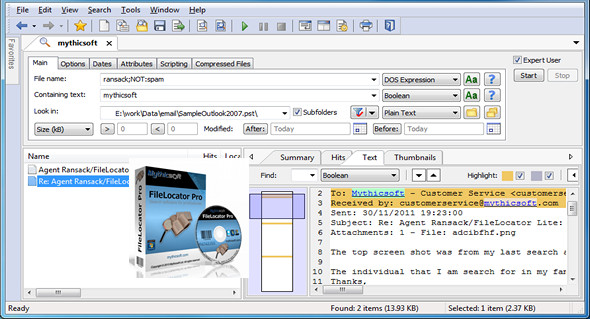
FileLocator Pro offers the most affordable way to thoroughly search your computer for all your misorganized or accidentally saved files. It features numerous tabs that allow you to search by document type, including text and keywords.
Specify date ranges during which the file was created, modified, or last accessed. You can also search within compressed files, including 7z, ARJ, CAB, ISO, TAR, CHM, RPM, ZIP, and more. Once the search is complete, FileLocator Pro can display the results in TXT, HTML, or CSV files, as you prefer.
Intuitive and easy to use, FileLocator Pro is accessible to everyone and requires no special computer skills.
Main features:
• Search using Boolean or regular expressions
• Dual core processor support
• Search on Word, Excel and PDF
• Open Office, keyword search via iFilter support
• Searching for LAN/WAN network drives (UNC support)
• Export search results to Text, CSV, HTML, XML, or a custom format using XSLT
• Searches ZIP, RAR, CAB, 7-Zip, ARJ, Bzip, CHM, CPIO, DEB, GZIP, ISO, LZH, NSIS, TAR
• Support for active scripts for optimal search customization
• Displays surrounding lines of text
• Customizable search environment
• Built-in file viewer
• Launch a third-party editor at the found line (including VS.NET)
• Drag and drop support
• Print preview
• Use the navigation to quickly browse previous search results
• Integration into Windows Shell
What's new :
– Generate an error reporting option added to Index Manager.
– Bug fix: Language file corrections.
– Bug fix: Ctrl + F retained during the upgrade procedure.
Configuration:
– Windows (x32/x64 Bits): XP, Vista, 7, 8, 8.1, 10
– Processor: 1 GHz
– RAM: 512 MB
– Disk space: 100 MB
Facility :
1. Install the program flpro_2721.exe
2. Copy/Overwrite the file FileLocatorPro.exe which is in the folder crack\(x64-x86 (depending on your system) in the installation folder.
Portable version:
Run the portable file\FileLocatorPortable.exe
Language Multilingual (including French)
Size : 87.2 MB
This article was updated on March 24, 2017