Mozilla Firefox, a modern internet browser
Launched in 2004, Mozilla Firefox achieved a remarkable feat by challenging Internet Explorer's dominance in the browser market. Today, Mozilla's web browser has become indispensable.
It is no longer a secret to anyone that Firefox offers a simple and highly customizable interface: whether through the basic but no less effective Personas or via add-ons.
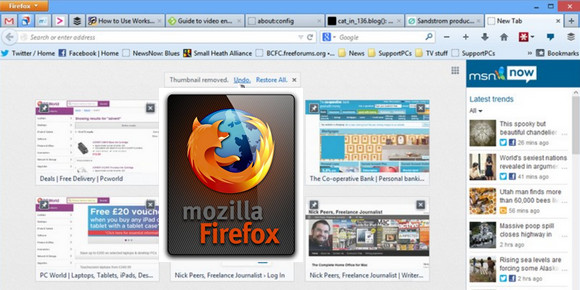
Tab management is not to be outdone, offering application management within it and "tab groups" with Panorama, a recent feature allowing you to organize yourself in the best possible way in a single window, with truly beneficial efficiency and ergonomics.
It's also hard to ignore, even though this feature is becoming standard, the smart address bar, which serves both as a history log and for adding favorites. We would undoubtedly have preferred to be able to perform searches directly in this same bar, although that would have deprived us of the multitude of configurable search engines.
In terms of its engine(s), Mozilla Firefox aims to improve performance with an optimized Javascript engine and, as is now mandatory, provides access to HTML5 technologies. Among these is support for the WebM function, allowing you to view HD videos within your browser (provided your internet connection allows it).
New features in Firefox 50.0:
* Play videos from other sites without plugins using WebM EME. Widevine support on Windows and Mac.
* Improved performance of extensions or SDK extensions using the SDK module loader
* Added download protection for a large number of executable file types on Windows, Mac, and Linux
* Increased availability of WebGL for more than 98% users on Windows 7 and later versions
* Added local Guarani (gn)
* Added an option to the Search page that allows users to limit the search to whole words only
* Keyboard shortcut updates
* Set a preference so that Ctrl + Tab cycles through tabs in the order they were recently used
* Display a page in reader mode using Ctrl + Alt + R (command + alt + r on Mac)
* Faster start-up
* Option to search for only complete words (Ctrl-F then select the option)
* New keyboard shortcut for reading mode (Ctrl-Alt-R)
Configuration:
– Windows (x32/x64 Bits): XP, Vista, 7, 8, 8.1,10
– Processor: Intel 3GHz
– RAM: 1 GB
– Disk space: 200 MB
Facility :
- Execute FirefoxPortable.exe
- Language : French
- Size : 195.5 MB
This article was updated on November 20, 2016