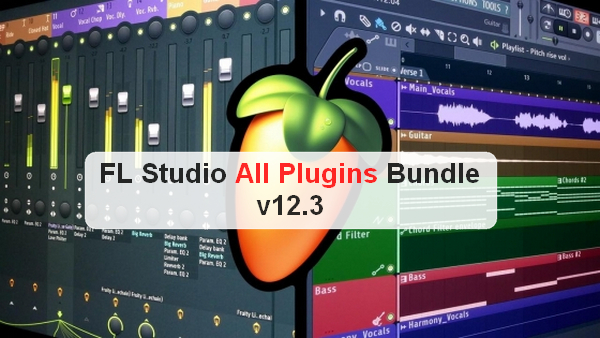
FL Studio is a music creation software for various sequences (MIDI, MP3, WAV) and for creating looped sounds and rhythms using its sequencer and synthesizer. It allows users to create new sounds and invent electronic music. It combines MIDI and DirectSound.
The other functions are as follows:
Interface:
– FL Studio's visual interface comprises five main windows, each accessible via its corresponding button in the standard toolbar. These five windows interact with each other in a way unique to FL Studio to help the user achieve the desired sound and final piece.
Step Sequencer:
-The Step Sequencer is a window that allows you to quickly assemble drum patterns, simple bass patterns, etc., by activating or deactivating buttons (called steps) that correspond to a note value.
Piano Roll:
-The Piano Roll is the tool designed for "classical" composers. It's a way to create a pattern that's sometimes simpler, sometimes more complex, but always more precise. In addition to the overall keyboard view on the left and the time display at the top, providing a comprehensive view of the note/time relationship, it allows you to add numerous parameters to each note (volume, pan, velocity, but also cutoff, pitch, and many others) directly within the tool.
Effects:
-The mixer can contain 99 tracks, each containing 8 sound effect slots. Only one effect track can be assigned to a channel, but it is possible to connect the resulting sound to another effect track, or to the Master, which can also be assigned a maximum of 8 effects; a channel can therefore receive a considerable number of effects in total.
Automation:
Automation allows you to vary a sound parameter or setting over time, such as volume (useful for creating fade-ins or fade-outs), pitch, tempo, or panning. You can automate sound parameters, the parameters of the effects applied to them, or even the mixing console settings.
Sound bank:
-The "sound bank," literally, is simply a browser that represents different folders within FL Studio. You can search this bank for various personal instruments, presets, complete pieces, plugins, saved files, etc.
Playlist:
The playlist is essentially the visual result of the entire piece created with FL Studio. To create a piece, we "place" patterns within the playlist at the desired points in time. It's possible to juxtapose patterns, create pauses, or mix audio clips, such as vocals or a recorded instrumental solo, in a non-linear and unstructured way.
Toolbars:
-FL Studio includes several useful toolbars (in its own style).
Tools:
-FL studio offers, depending on the version, additional tools usable only with FL studio or adapted/ported to FL Studio (SynthMaker or existing as a VST, DirectX plug-in).
Configuration:
Windows: Vista/7/8/8.1/10 (x86/x64)
CPU: P4 3GHz
Memory: 2 GB RAM / 6+ GB recommended
Disk Space: 600 MB
Sound Card: ASIO support recommended
Facility :
1. Uninstall previous versions.
2. Install FL Studio 12.3
3. Launch the keygen, generate a license and double-click on the license.
4. Use your firewall to block the application's internet connection.
IMPORTANT: Do not update.
- Language: English
- Size: 617.0 MB
This article was updated on September 13, 2016