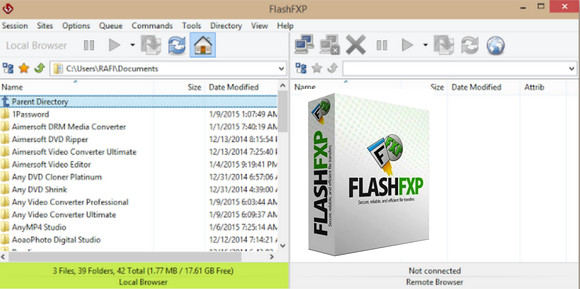
FlashFXP is a simple yet highly efficient FTP client with the unique ability to transfer files directly from server to server without using your computer. Features include transfer speeds of up to Gigabit, support for secure connections (SSL and TLS), and the inclusion of the Blowfish encryption algorithm.
The interface offers two modes: A "classic" FTP mode and an FXP mode for advanced users. Also noteworthy are some interesting features such as the display of an FTP transfer graph and the ability to import site lists from CuteFTP, WS_FTP, FTP Explorer, LeapFTP, or Bullet Proof.
The latest versions also allow you to search for file(s) on the selected FTP server, schedule automatic transfers (with email notifications), and create transfer rules based on the size or date of the files processed; in short, a wealth of features for experienced users!
Configuration:
– Windows (x32/x64 Bits): XP, Vista, 7, 8, 8.1,10
– Processor: Pentium 600 MHz
– RAM: 512 MB
– Disk space: 30 MB
Facility :
1. Install FlashFXP
2. Uncheck " Run FlashFXP now"
3. Copy the patch to the installation folder
4. Launch the Patch (as administrator)
5. Click on Patch
6. Launch FlashFXP
7. Choose the language
8. Click on Enter the code
9. Open the keygen
10. (Optional) In the line (where SeVeN & WoKa is written) enter a name
11. Click on Generate
12. Click on Copy to Clipboard
13. In the FlashFXP activation window, click on Paste from clipboard Then OK
- Language : Multilingual (French included)
- Size : 7.9 MB
This article was updated on November 6, 2016