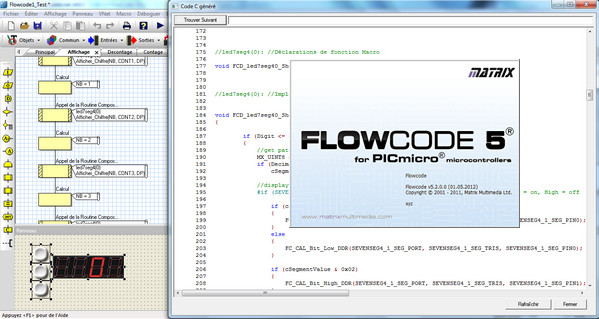
Flowcode software allows you to quickly and easily develop complex electronic and electromechanical systems. The graphical programming tool enables even those with limited experience to develop complex electronic systems in minutes.
Flowcode is one of the world's most advanced environments for developing electronic and electromechanical systems. Engineers use Flowcode to develop microcontroller-based control and measurement systems.
Graphical programming
Flowcode uses graphical icons to allow you to quickly develop electronic systems. The interface is easy to use for those with little programming experience who can quickly grasp the fundamentals. The development speed provides experienced users with a fast and proven way to develop their projects.
Code testing and debugging
Once you have developed your program, the environment allows you to use embedded circuit-testing (TIC) and circuit-debugging (CIM) features. These key features give you the confidence to ensure that the programs you have created will be functional when compiled on the chosen devices.
Creating components
With hundreds of common components already integrated into Flowcode, the environment is already set up for integrated development. If you have other components you need to develop your electronic systems, you can easily create your own component libraries within Flowcode, reducing the support and development costs of all your projects.
Configuration:
– Windows: XP, Seven 32-bit/64-bit, Win 8
– CPU: intel core 2 Duo 2.20Ghz
– 256 MB of RAM
– 120 MB available on the hard drive
Facility:
I/ Installation of version 5.0.0 for PIC:
1. Install the software by running:
[Flowcode PIC v5.0.0-5.2.0/FlowcodeV5-PICmicro.exe]
>> At the beginning of the installation, enter [xyz] as the name (without the brackets) otherwise activation will not work!
2- Installation complete, ignore the registration, open the software and go to the menu [Help > Activation]:
a- Click on the first padlock on the left and on the right enter for CD Key:
000020-ACM8GQ-67JYU0-84FAP2-H9VCW7-GNZZ6B
b- Click on the second padlock and enter the activation code:
xyz
HFK1EB-PFBEMN-CV99WQ-BDA6K5-F2P0JH-WUK7B9
NB Remember to remove {name:….} and {code:….} otherwise it won't work
II/ Update version 5.2.0 for PIC:
1. Install the patch by running:
[ Flowcode PIC v5.0.0-5.2.0/FlowcodeV5(PICmicro)_v5.0.0_to_v5.2.0.msp]
2- Normally the update does not require a code, it is done seamlessly.
- Language: French
- Size: 88.4 MB
This article was updated on September 17, 2016