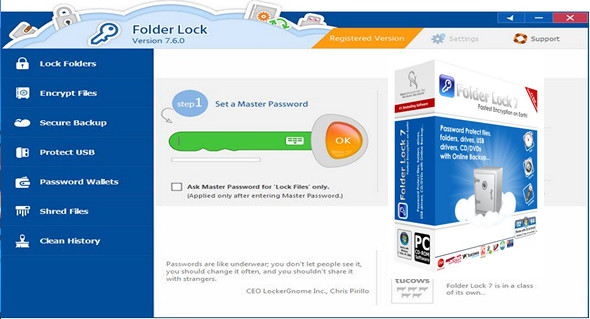
Folder Lock is a complete solution for all your data security needs. It allows you to keep your personal files protected in various ways on PCs and portable drives and offers optional backup of protected files to online storage.
Folder Lock comes with a perfect combination of several security tools, allowing you to encrypt your important files using 256-bit encryption and clean your Windows history. The protection works even if files are moved from one PC to another via removable media, without needing to install the software on the device. You can also use VovSoft Hide Files.
Features and advantages of Folder Lock:
– Encrypt the filesEncrypt your personal files using fully dynamic and infallible 256-bit on-the-fly encryption technology.
– Online backupAutomatically back up all your encrypted files to online storage and easily restore them.
– Protect USB/CDConvert your encrypted storage into executables and take your portable drives anywhere.
– Lock the filesProtect important files from unwanted access by blocking visibility or access to files, folders, and drives.
– Making portfoliosStore sensitive information in encrypted form. A safe haven for private information, such as credit cards and bank accounts.
– Complete deletion of filesPermanently delete recoverable files, folders, and drives.
– Stealth modeRun the application securely and stealthily. Don't let anyone know you've already installed Folder Lock on your PC.
– Hack SecurityDon't let hackers use dictionary attacks. Monitor, control, and take action on incorrect password attempts.
– Password securityRestrict access to different parts of the application using the master password at the administration level.
– Automatic protectionDefine an inactivity-based security policy to secure everything when you are away from your PC.
Version : 7.8.6
Language : Multilingual (French included)
Size : 6.96 MB
Configuration:
– Windows (x32/x64 Bits): XP, Vista, 7, 8, 8.1, 10
Folder Lock 7.8.6
This article was updated on May 3, 2023