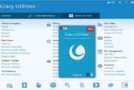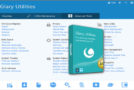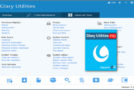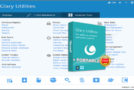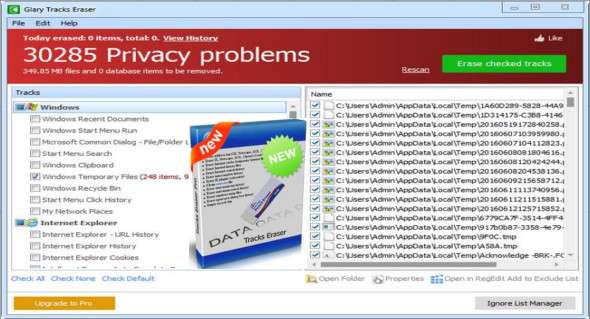
Cleaning up computer activity logs takes a lot of time, but there are applications that can help you with this. One of them is called Glary Tracks EraserIt is capable of deleting traces of internet activity and browsing, aiming to protect your privacy and data.
Delete traces of computer activity
Glary Tracks Eraser lets you easily delete all traces of your activity, including browser history and cookies, to protect your identity and prevent tracking. Not only is your privacy protected, but you also free up a significant amount of storage space previously occupied by temporary or unnecessary files.
Powered by a robust analysis engine, Glary Tracks Eraser can scan important areas of your computer to detect junk files, displaying all its results in an organized manner. It retrieves recently accessed documents, Start menu items, a list of Windows searches, items stored in the clipboard, temporary files, and the contents of the Recycle Bin. With just one click, you can get rid of these items.
Clear browsing history and stock logs
Aside from junk files created in Windows, Glary Tracks Eraser can also scan for unnecessary files created by popular web browsers. Therefore, you can use it to delete browsing history, cookies, fill-in form data, Index.dat files, and temporary internet files.
Its features are not limited to Windows and browsers only, as they offer compatibility with several applications, such as Windows Media Player, Flash Player, Wordpad, RegEdit and Windows Defender, allowing you to easily clear reading, document and action logs.
Safely delete unnecessary files to free up space
Glary Tracks Eraser has two main advantages: it allows you to secure your privacy and helps you free up disk space. Traces of your past actions can be erased in just a few clicks, leaving no footprint for others to discover.
Configuration:
– Windows (x32/x64 Bits): XP, Vista, 7, 8, 8.1, 10
– Processor: 1 GHz
– RAM: 1 GB
– Disk space: 10 MB
Language Multilingual (French included)
Size : 5.8 MB
This article was updated on January 22, 2018