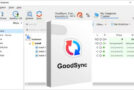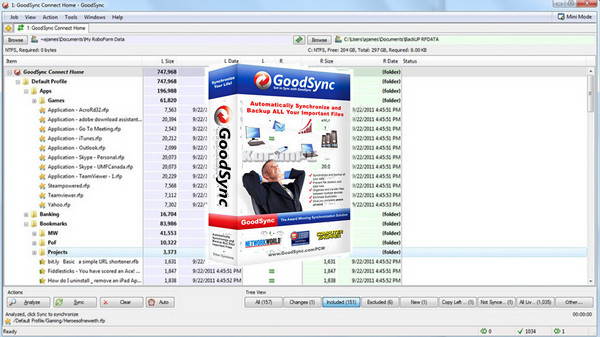
GoodSync is a file synchronization and backup software that automatically performs syncs between desktop PCs, laptops, and external drives.
Never lose your emails, photos, MP3s, etc. again…
GoodSync combines rock-solid reliability with an extremely easy-to-use interface to compare, sync, and back up your emails, contacts, photos, iTunes, MP3s, and other important files.
Automatically Sync or Save to Multiple Media
Automatically synchronizes and backs up your important files between desktop PCs, laptops, servers, and external drives over a network or the internet. Using an innovative synchronization algorithm, GoodSync is years ahead in the synchronization field.
Easy and Automatic
Keep your files up to date with a simple click, eliminate information clutter and most importantly start living with peace of mind, knowing that your financial documents, work files, emails, contacts, photos, iTunes, MP3s, and other data are synchronized and backed up.
Configuration:
– Windows (32/64Bits): XP, 7, 8, 8.1, 10
– Processor: Pentium III clocked at 1 GHz
– RAM: 256 MB
– 500 MB of disk space
Facility :
1 – Add these 2 lines
127.0.0.1 www.goodsync.com
127.0.0.1 activate.goodsync.com
to your hosts file (System32\drivers\etc)
2 – Start the installation, selecting French as the language
3 – Uncheck “Run Goodsync” at the end
4 – Open the Task Manager (Ctrl+Alt+Delete) and close “GoodSync Server”
5 – Copy the patch files corresponding to your system (x86 for 32-bit, x64 for 64-bit)
6 – Paste the 5 files into the installation directory (replacing the original files)
7 – Launch the software and click on “Activate the PRO version…” in the “Help(?)” menu
8 – Select “Online activation via browser”
9 – Enter a name – Enter any 10-digit number
10 – Click on “Next”
11- Generate a key using the keygen to complete the "Activation Code" field
12- Click on "Next" to display the confirmation message, then on "Finish".
Note : The keygen and/or patch may cause your antivirus software to malfunction; leave it alone during installation.
- Language: Multilingual (French included)
- Size: 127.5 MB
This article was updated on October 3, 2016