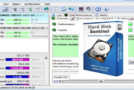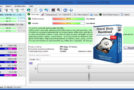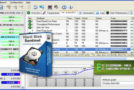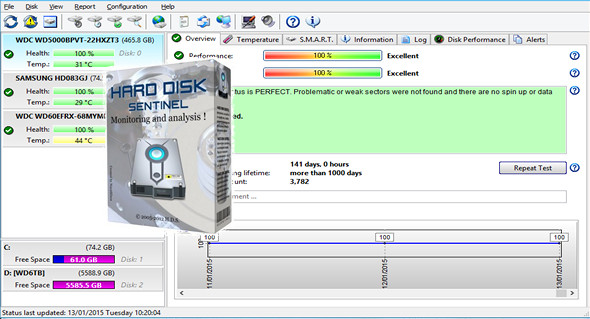
Hard Disk Sentinel is a multi-OS hard drive monitoring application. Its purpose is to find, test, diagnose, and repair hard drive problems, displaying hard drive health, performance degradation, and failures. Hard Disk Sentinel provides a comprehensive text description, tips, and displays/reports the most complete information about the hard drive in the computer or in an external enclosure (USB/eSATA). Numerous different alerts and reporting options are available to ensure maximum security for your valuable data.
Some key features:
Simply install it, configure the alerts and backup options, and your system is now secure. You'll be notified of any problems—but if everything is okay, Hard Disk Sentinel will automatically take over and display the current status. Your data is protected 24/7.
– Instant SMART Analysis – Hard Disk Sentinel can communicate with IDE, Serial ATA, and SCSI drives to detect their status and temperature. The drive status is displayed immediately when you launch the application; there's no need to scan the drives for an extended period. It displays the current and maximum hard drive temperatures.
It can read all general and vendor-specific attributes and monitor their values. For advanced users, all raw data is displayed, including power-on times and the number of read/write errors. Hard Disk Sentinel interprets SMART performance and health values and displays the calculated performance and health percentage, total power-on time, and estimated remaining lifespan.
– Disk status in Windows Explorer – displays the current health status and space used in Windows Explorer or any other application, so you always know how much space is used for each partition and the state of the disk.
– On-demand information – it can display current hard drive temperatures and health on the system tray, in a small status window, and on the desktop itself. Average and maximum temperatures are recorded for all hard drives, and this information is displayed in graphs for statistical purposes.
– Logging – Hard Disk Sentinel records all degradations in all SMART parameters. For example, if a new uncorrectable sector is found on your hard drive, you will be notified.
– Alerts – Hard Disk Sentinel can generate various types of alerts for different problems. It can run various tasks (even external applications) when a problem occurs. There is an option to send daily emails about the current status.
– Hard drive details – detects and displays all hard drive information, from revision number and buffer size to all its features. Maximum and available transfer modes are also displayed.
– Hard drive performance – records the amount of data read or written to the hard drive. Displays current read and write transfer rates and estimates the maximum (theoretical) transfer rate available for a particular hard drive.
– Hard drives – displays the partitions for each physical hard drive, along with their type and usage information, so you never run out of space. Hard Disk Sentinel automatically sends this information in alert/status messages.
– Shutdown – This provides the option to shut down the computer in case of failure, overheating, or degradation of settings. This option can be used to prevent further data loss.
– Acoustic Management – this allows you to control the noise level of the IDE/S-ATA hard drive. You can increase performance or make the drives quieter.
– Clock synchronization – it offers the option to synchronize the PC clock with an atomic clock via NTP (Network Time Protocol).
Configuration:
– Windows (x32/x64 Bits): XP, Vista, 7, 8, 8.1, 10
– Processor: 1 GHz
– RAM: 512 MB
– Disk space: 100 MB
Facility :
1. Launch " hdsentinel_pro_setup.exe "to install the software."
2. Launch the installed software.
3. A warning window opens Hard Disk Sentinel demo version » click on « close » bottom right.
4. Click on the tab at the top Help" .
5. Then on " Enter the registration key" .
6. Then on " Load the activation file" .
7. Then look for the license file " Hdsentinel.key" , select it and then click on OK.
8. Exit the program completely from the notification area icons. (near the clock, right-click, " To leave" ).
9. The software is registered and activated on the next launch.
Portable version:
1. Go to the folder Portable Version
2. Launch the software with HDSentinel.exe
3. A warning window opens Hard Disk Sentinel demo version » click on « close » bottom right.
4. Click on the tab at the top Help" .
5. Then on " Enter the registration key" .
6. Then on " Load the activation file" .
7. Then look for the license file " Hdsentinel.key" , select it and then click on OK.
8. Exit the program completely from the notification area icons. (near the clock, right-click, " To leave" ).
9. The software is registered and activated on the next launch.
Noticed: This is what gives the error message » Please contact the author… »:
1. Go to the folder C:\Program Files (x86)
2. Right-click on the folder » Hard Disk Sentinel " Next " property "
3. Uncheck the box read only click OK
4. Launch the software and activate it.
Language Multilingual (including French)
Size 46.2 MB
This article was updated on May 19, 2017