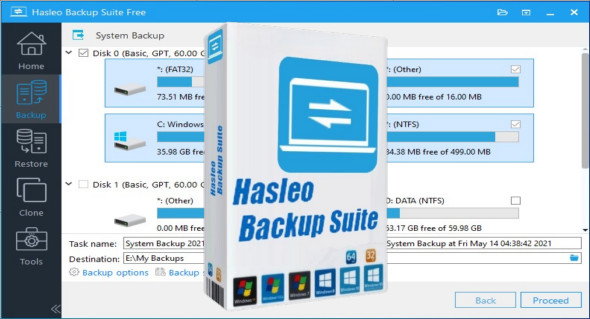
Hasleo Backup Suite is a powerful, free solution designed for backing up, restoring, and cloning disks under Windows. With its intuitive interface and advanced features, this software offers comprehensive protection for all users, whether personal or professional.
Why choose Hasleo Backup Suite?
Hasleo Backup Suite stands out for its ease of use and numerous backup and recovery options. It effectively protects files, prevents data loss, and ensures rapid restoration in case of problems. Key features include full system backup, fast restore, and disk cloning for migrating to an SSD.
This software is ideal for those who want a powerful, free and accessible tool for everyone, without having to invest in expensive solutions.
The main features of Hasleo Backup Suite
Full and customized backup
Hasleo Backup Suite offers various backup types tailored to each user's needs. A full backup creates a complete image of the disk or system, ensuring total protection in case of failure.
To optimize storage space, differential backup only saves changes made since the last full backup, while incremental backup only saves files that are new or have been modified since the last operation.
The software also offers advanced options such as file compression to save space and backup encryption to ensure data security.
Fast and reliable food
In the event of a system failure, virus attack, or accidental file deletion, Hasleo Backup Suite enables fast and efficient restoration. You can recover a complete system backup or restore individual files in just a few clicks.
The software also allows you to create a WinPE recovery partition, enabling you to restart and restore a PC even in the event of a total system failure. This feature is particularly useful for users who want to secure their data and minimize downtime.
Disk cloning and migration to an SSD
If you want to replace your hard drive with an SSD or transfer your system to a new drive, Hasleo Backup Suite offers a powerful cloning tool. It allows you to completely copy a disk, including the operating system, files, and applications, without having to reinstall everything.
The software automatically optimizes partitions to ensure maximum compatibility and performance on SSDs, guaranteeing a smooth and data-free transition.
An intuitive interface accessible to all
Hasleo Backup Suite stands out with its simple and user-friendly interface, allowing users to configure backups and restores in minutes. The interface is designed to be fluid and easy to understand, with well-organized options for quick access to various features.
The software also offers an automatic scheduling system, allowing you to configure regular backups without manual intervention. This way, your data is constantly protected without you having to think about it.
Why choose Hasleo Backup?
Hasleo Backup Suite stands out for being free, while offering features comparable to many paid software programs. Unlike some competing solutions, it doesn't limit backup options or the size of supported files.
It is also compatible with all versions of Windows, making it an ideal choice for users looking for a reliable and efficient solution without having to invest in expensive software.
Conclusion: Protect your data with Hasleo Backup Suite
Hasleo Backup Suite is an essential tool for anyone who wants to protect their files and system against data loss. With its backup, restore, and cloning features, it offers a complete solution for effectively securing your data. You can also use Abelssoft EasyBackup.
Whether you are an individual concerned about protecting your personal documents or a company looking to secure your critical data, Hasleo Backup Suite is a wise choice.
Don't risk your most valuable files. Download Hasleo Backup Suite today and easily keep your data safe.
Version : 5.2.2.2 /WinPE: 5.2.2.2 (x64)
Language : Multilingual (French included) / WinPE: English
Size : 104.62 MB / WinPE: 619.34 MB
Configuration:
– Windows (x32/x64 Bits): 7, 8, 8.1, 10, 11
Download Hasleo Backup Suite v5.2.2.2 + Portable
Download Hasleo Backup Suite WinPE v5.2.2.2
This article was updated on May 1, 2025