Hasleo Disk Clone Pro is a professional hard drive cloning solution designed for users who want to migrate a system, back up their data, or transfer the entire contents of one drive to another quickly and without loss. Whether you're changing hard drives, upgrading to an SSD, or simply want an exact copy of your current drive, this software provides a reliable, fast, and user-friendly solution.
Running on Windows, Hasleo Disk Clone Pro offers powerful features such as system disk cloning, sector-by-sector copying, SSD migration, automatic partition resizing, and more. It's an efficient and lightweight alternative to other solutions like EaseUS Disk Copy, while maintaining high performance and compatibility.
Full disk cloning – Simple and powerful
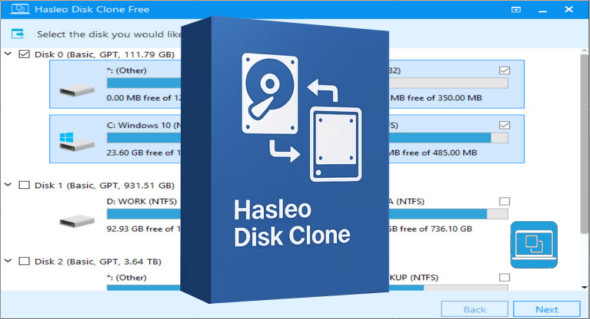
Hasleo Disk Clone Pro allows you to completely clone a hard drive or SSD to another storage device, regardless of its size or type (HDD, SATA SSD, NVMe, etc.). Thanks to a clear and intuitive interface, the process takes only a few steps, without requiring advanced technical skills.
It is possible to choose between several cloning modes:
- Disk-to-disk cloning (full copy)
- Partition cloning
- System cloning only
- Sector-by-sector cloning (bit-by-bit copy for full compatibility)
Easy migration from Windows system to SSD
Migrating your Windows system to an SSD is one of the most common uses, particularly for improving boot performance and overall speed. Hasleo Disk Clone Pro offers a dedicated system migration tool that automatically detects the partitions needed to boot Windows and copies them to the new drive while preserving their structure.
Once the cloning is complete, simply select the new disk in the BIOS to boot from it, without reinstalling Windows or your software.
Automatic partition resizing
The software offers an automatic resizing function when cloning to a disk of a different size. If you clone a small disk to a larger one, the free space will be optimally allocated. If you clone to a smaller disk (within the limits of the available capacity), the partitions will be adjusted automatically. This feature is particularly useful when migrating to SSDs.
User-friendly and guided interface
Hasleo Disk Clone Pro prioritizes user experience. The interface is designed to guide users step-by-step, with clear instructions and explicit graphics. Even a novice user can perform a complete cloning in just a few clicks. No command lines or complex procedures are required.
Extended hardware compatibility
The software supports a wide range of hard drives and SSDs, including:
- SATA, IDE, SCSI drives
- SATA or NVMe SSD
- USB flash drives, external hard drives
- MBR and GPT interfaces
- Windows 11, 10, 8.1, 8 and 7 (32 and 64 bits)
Furthermore, it is compatible with traditional UEFI/BIOS systems, ensuring broad adaptability to both modern and older configurations.
Secure cloning without data loss
Thanks to its optimized engine, Hasleo Disk Clone Pro ensures cloning without risk of corruption or data loss. It verifies the integrity of the copied data and guarantees an immediate, error-free restart of the cloned system. Cloning can be performed even while the system is running, thus avoiding lengthy service interruptions.
Why choose Hasleo Disk Clone Pro?
- Simple and quick cloning of entire disks or partitions
- Migrating Windows to SSD without reinstalling
- User-friendly interface
- Intelligent partition resizing
- Compatible with all recent discs
- Operates securely without data loss
Conclusion
Hasleo Disk Clone Pro is the ideal solution for anyone who wants to clone a hard drive, migrate their Windows system to an SSD, or secure their data without any hassle. Its ease of use, broad compatibility, advanced options like sector-by-sector cloning, and excellent value make it an essential tool for both individuals and professionals. Compared to alternatives like EaseUS Disk Copy, Hasleo stands out for its lightweight design, efficiency, and simplicity. A reliable choice for fast, dependable, and stress-free cloning.
Version : 5.6.2.0 /Portable: Technician
Language : Multilingual (French included)
Size : 81.81 MB / WinPE: 518.91 MB
Configuration:
– Windows (x64 Bits): 7, 8, 8.1, 10, 11
Download Hasleo Disk Clone v5.6.2.0 + Portable
Download Hasleo Disk Clone Technician WinPE v5.6.2.0
This article was updated on January 31, 2026